Have you ever needed a quick button on a web page? Or perhaps a way to get people to notice and do something? You can now use the Button and the Call To Action web parts on Modern SharePoint Online web parts. Here’s how…

Learning new Microsoft Office tricks in "just a minute"
Have you ever needed a quick button on a web page? Or perhaps a way to get people to notice and do something? You can now use the Button and the Call To Action web parts on Modern SharePoint Online web parts. Here’s how…
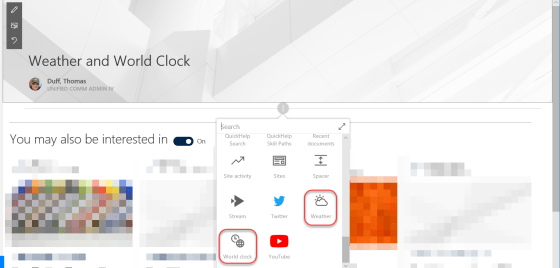
In SharePoint Online modern web pages, there are two new web parts that might look nice on your intranet home page… the Weather and the World Clock web parts. Here’s how they work…
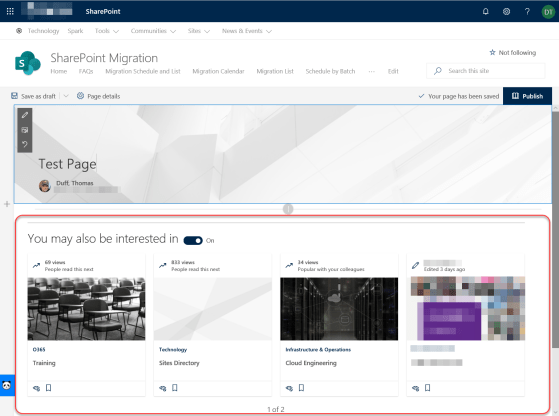
This is a new feature in SharePoint Online that will help people find content related to their specific interests based on prior page views and activities. It’s the News and Page Recommendations feature that is added to the bottom of newly created pages in SharePoint Online.

One of the latest updates to SharePoint Online is the addition of a Footer option in the Change The Look Settings list. It’s a nice way to have a graphical user interface (GUI) for adding and maintaining a footer in your Communication sites (it’s not currently available in Team sites), and it applies to all the pages in the site. Here’s how it works…
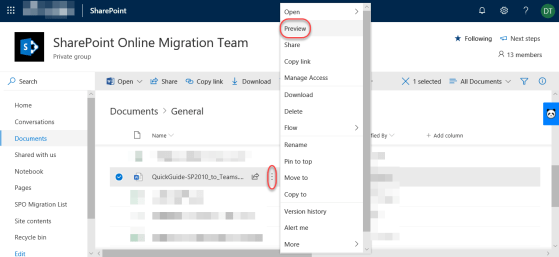
When you’re in SharePoint Online, opening up files can often cause new version history entries to be made based on how things are set up. This can be a major issue if people have alerts set to notify them if anything changes! To prevent that, you can use the Preview feature to quickly open the file without causing any version history changes. Here’s how that works…

My slides from the Minnesota Microsoft 365 User Group presentation on SharePoint Migrations
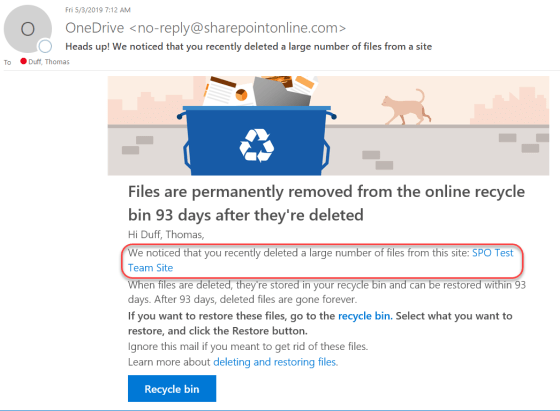
It’s a nightmare of mine… someone pings me and says that hundreds of files are missing from a document library, and they’re not in the recycle bin either. If you’re lucky, you figure out who deleted the files, and often they didn’t realize they did that. Now in SharePoint Online and OneDrive, Microsoft will notify you via email if you’ve done a “mass deletion” of data. Here’s what happens…
 One Minute Office Magic