Creating an Outlook calendar entry from an email on Outlook on the web (and New Outlook)

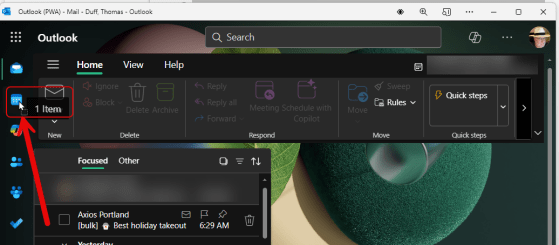
This may be a new trick for some of you… In the classic Outlook client, you can drag an email over to the calendar icon on the left-side navigation bar, and Outlook will automatically create a calendar entry using that email content. Unfortunately, you didn’t have that same ability if you were using Outlook on the web or the New Outlook client. Now you can! Here’s how that works using Outlook on the web, and you should be able to do the same in the New Outlook client…

Creating hyperlinks in Outlook on the web

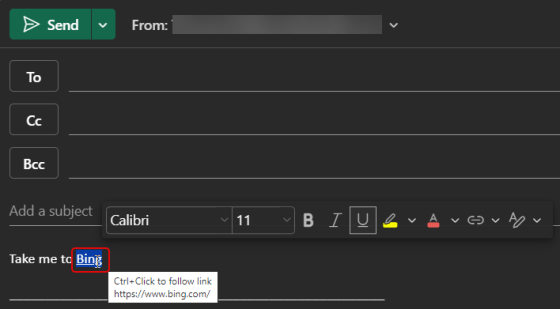
We ran across a cool little tip this week that pertains to Outlook on the web. Instead of having to click a hyperlink icon to add a link (or use CTRL-K to get a dialog box), you can just highlight the word in your email and paste the link over it… voila! You have a hyperlink! Here’s how that works…

Right-Click RSVP options for meetings in Outlook on the web

It used to be that if you were using Outlook on the web for your calendar and you wanted to RSVP a meeting invite, you had to either open up the calendar entry or navigation through an RSVP fly-out menu if you right-clicked on the meeting entry. Now, the Yes/No/Maybe options are available at the main level of the right-click menu. Here’s how it looks…

Using Split View on your Outlook on the web calendar

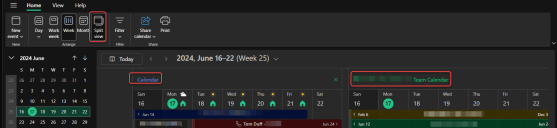
If you have two or more calendars selected in Outlook, it can be hard to tell what entry belongs to what calendar. If you’re using Outlook on the web, you can use the Split View option on your calendar so that each one displays as a separate calendar. Here’s what that looks like…

Scheduling in-person meetings in Outlook on the web

There’s a change that’s in the process of rolling out right now, and it’s pretty interesting. When creating a meeting in Outlook on the web, you can designate it as an “in-person” meeting that people should plan on being present for. RSVPing to the meeting gives you additional options to say you’ll attend in-person or virtually, so that the organizer can know how many people will be physically present. Here’s how this looks and works…