If you have multiple PDF files stored in OneDrive that you’d like to have merged into a single PDF file, you don’t have to look for third party software to make that happen. You can do it with the Merge function in OneDrive on the web. Here’s how that works…
Author: oneminuteofficemagic
Extracting your PDF files in OneDrive on the web
Have you ever had a PDF file where you’d like to extract certain pages to create a new PDF file, but you don’t have any software (that you know of) that would allow you to do that? Now you do! You can use OneDrive on the web to open up a PDF file and extract selected pages to make a new PDF file. Here’s how that works…
Compressing your PDF files in OneDrive on the web
It’s not unusual to have large PDF files stored in your OneDrive that you’d like to email or share, but that are too large to do so. There’s now an option in OneDrive on the web that allows you to compress that PDF file (without destroying the original). Here’s how that works…
Using the Timer feature in Microsoft Teams meetings
Have you ever been in a Teams meeting where you have an agenda item that should take a set amount of time, like five minutes? Do you still find yourself stuck on that agenda item after 15? Teams has a new feature that can help control time sprawl on those discussions… the Timer! Here’s how that works…
Microsoft 365 Pulse Roadmap webcast – Episode 261
Episode 261 of the Microsoft 365 Pulse Roadmap webcast is now out on YouTube. Join Tamara Bredemus and Thomas Duff as we cover this week’s updates.
Retiring Power BI “Visualize the List” and “Visualize the Library” Features in SharePoint Online
If you have used the legacy Power BI integration in your SharePoint list or library (Visualize the List or Visualize the Library), you need to know that this feature is going to be retired starting in mid-November. Here’s what those options look like, and the information that Microsoft has provided on what replaces it…
Getting a document summary in web-based Microsoft Word
If you are looking at a large document in the browser-based version of Microsoft Word, you might feel a bit overwhelmed when it comes to getting an overall understanding of what it contains. Copilot can help with a Summary at the top of the document, along with a variety of options to tailor your overview to what you need. Here’s what that looks like…
Getting all the keyboard shortcuts for Microsoft Word
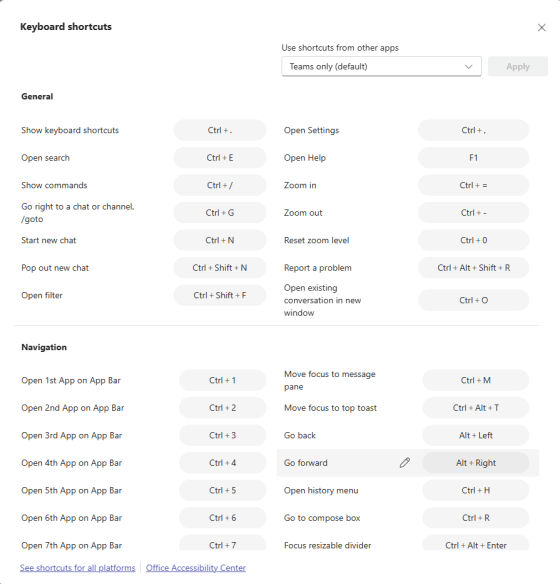
I ran across this cool tip the other day… You probably know some basic keyboard shortcuts that you use in Microsoft Word, but have you ever seen the entire list of keyboard shortcuts that work in Word? Using this tip, you can easily get a list of all of them. Here’s how that works…
Time zones in Outlook calendars (revisited)
I did a tip on time zones in Outlook calendars back in 2022 when the feature first came out, but I wanted to revisit it given how certain work environments have changed. When you’re using the Outlook calendar (in the browser, New Outlook, or classic Outlook), you can show multiple time zones to the left of the time slots. While it’s easy to make one- or two-hour time zone shifts in your head, it’s a lot harder if your team is off-shore and scattered in different countries. Using this feature can be a lifesaver when it comes to knowing if and when to schedule a meeting for a certain time. Here’s how that works…