If you’ve been using Microsoft Outlook for any length of time, you’re probably familiar (and comfortable) with the Classic Outlook look and feel. But now that New Outlook/Outlook on the web are the recommended options, you may feel like you’re struggling with the look and feel (on top of the functionality changes). Microsoft has added a new option to Outlook that lets you use the Classic Outlook theme in New Outlook/Outlook on the web. Here’s what that looks like…
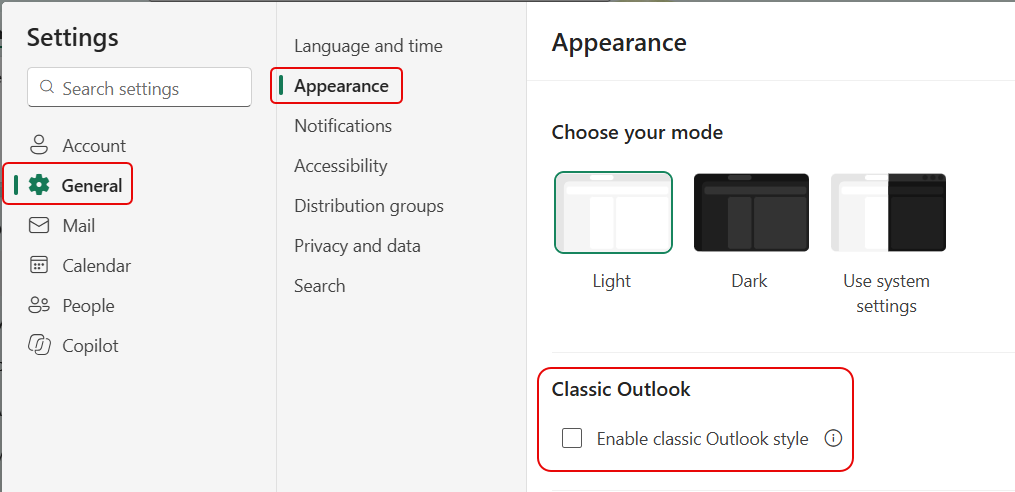
If you go into Settings under General > Appearances, you’ll see the Classic Outlook style option:
This is what the options and ribbon bar looks like with New Outlook/Outlook on the web:

If you turn on the classic Outlook style option, the options and ribbon bar look and feel adopts the Classic Outlook look:

Before you get too excited, please remember… This is *only* a theme change. It doesn’t change how New Outlook/Outlook on the web works… it’s just how the ribbon bar options appear.


