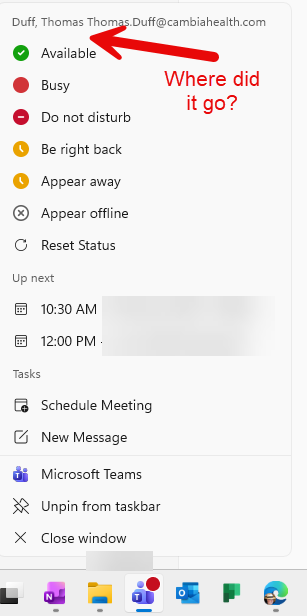
I had a customer ask a question the other day, and the question was “where did the Quit Teams option go?” When I checked my Teams client, I noticed I didn’t have it either. With the help of a few people, we were able to find where it *did* go…
Prior to the change, you would find Quit Teams right at the top of the Windows Jump List. You could right-click on the Teams icon and see the Quit Teams option, but it’s no longer there now:
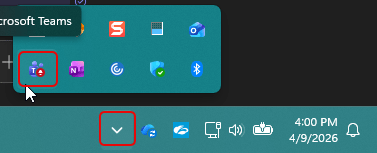
Instead you have to right-click on the Teams icon in the system tray instead. If you have a short icon bar, you may need to first click on the dropdown arrow to see all the icons, and then right-click on the Teams icon:
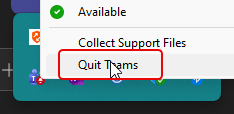
You’ll then see the Quit Teams option there:
This was made to reduce some of the user friction in Teams and prevent accidental Teams shutdowns during meetings.

 One Minute Office Magic