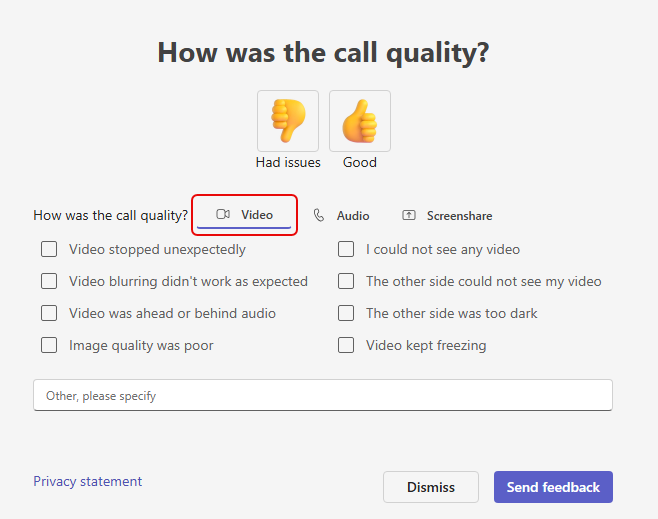
For a number of years, the “random” Call Quality feedback panel would pop up after you finished your call or meeting, and you could say whether it was good or bad. However, it didn’t dive down very deep. Coming very soon to Teams, you’ll see a different version of that Call Quality feedback panel that has separate areas for Video, Audio, and Screenshare, along with a number of checkbox options and a comment field. Here’s what it looks like…
Here is the version of the panel for the Video tab:
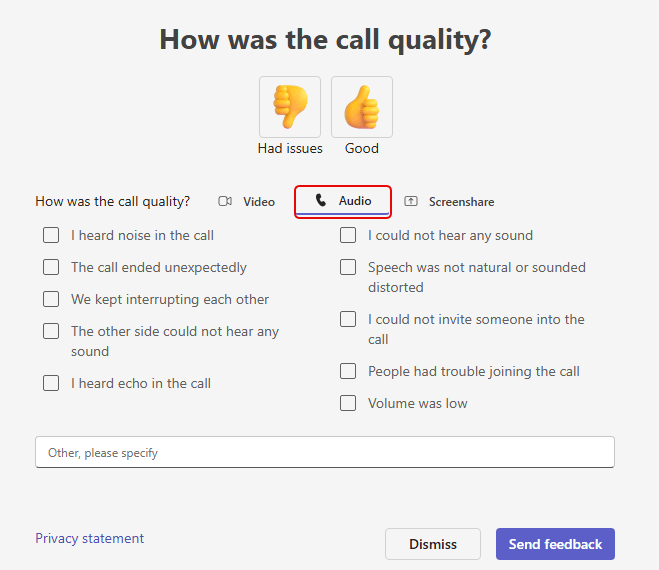
When you click the Audio tab, these are the options you see:
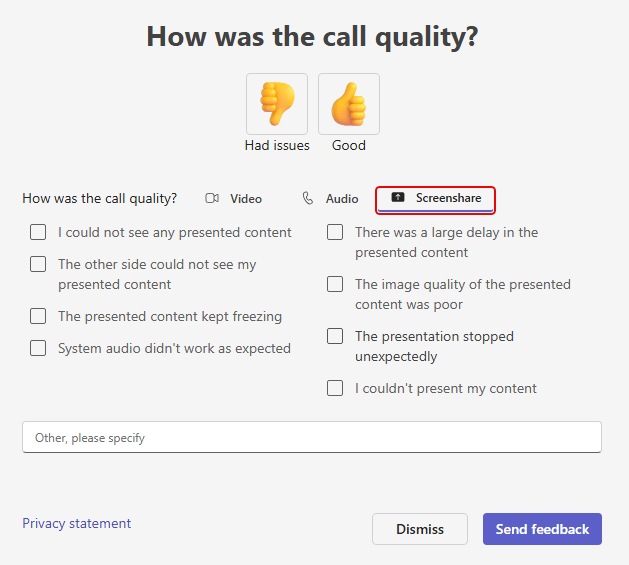
And finally, you can share Screenshare feedback on the Screenshare tab:
It may still be rolling out in our tenant, so don’t be surprised if you’re still seeing the original version. Just know that it will be changing soon.

 One Minute Office Magic