This is something I’ve never noticed before, and I can see it confusing someone if it gets set inadvertently. You can pin your Microsoft Teams window on top of everything on your screen. That means that anything you launch on that screen is “invisible” until you minimize your Teams window. Here’s what that looks like and how to change the setting…
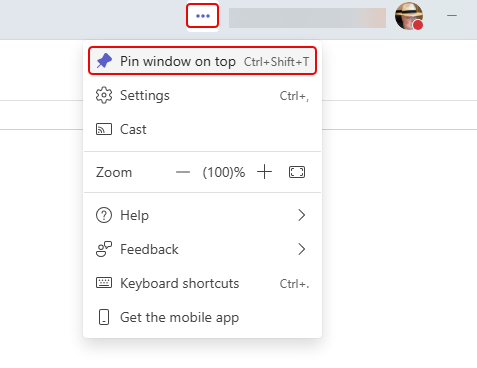
When you click on the ellipsis in the upper-right corner of the Teams client, you’ll see a drop-down menu with the option Pin window on top:
When you click on that option, everything you try to show on that screen will open BEHIND the Teams client. In order to see anything, you would have to minimize your Teams client.
If you see the pushpin next to the ellipsis, it means that this feature is turned on. To turn it off, click the ellipsis and select Unpin window:
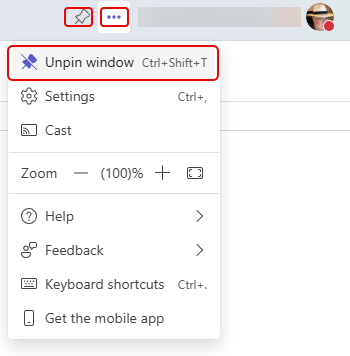
Now things will launch in front of Teams as you’d normally expect.
You may find this feature to be useful if you have Teams open on a separate monitor and you never want anything opening over the top of it. It’s more likely that this will get accidently set and you can’t figure out why nothing is opening on your monitor. Turn the feature off and you’ll be back to normal.

 One Minute Office Magic