If you are a long-time user of Microsoft Teams, you likely have a LOT of channels in Teams that you rarely visit. Of course, they take up room and generate clutter. Microsoft can help you hide those inactive channels now. Here’s how you can make that happen…
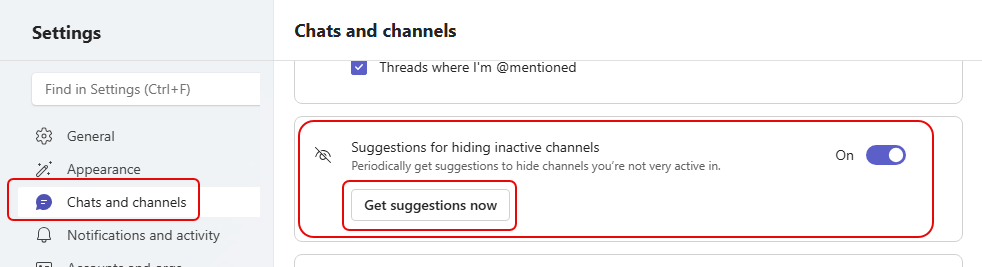
If you go into the Microsoft Teams Settings under Chats and Channels, you’ll see an entry for Suggestions for hiding inactive channels:
Teams will periodically trigger the suggestions to show you inactive channels you might want to hide:

You can select any or all of the suggestions to clean up your Teams channel lists. You can also click on the Get suggestions now option to do the clean-up on your own schedule. And finally, if you really want to see everything out there and you don’t want Microsoft suggesting anything, just turn the suggestion toggle to Off.

 One Minute Office Magic