
While you’ve been able to forward messages from Microsoft Teams for some time, there was always a problem in trying to get the context of the message. All you saw was the forwarded message and that was it. Now when you forward a message, the recipient also gets a link to the message so that you can see the surrounding context. Here’s how that works…
In this example, I’m forwarding a message from a conversation in a channel. There were also comments added to the thread after this initial message:

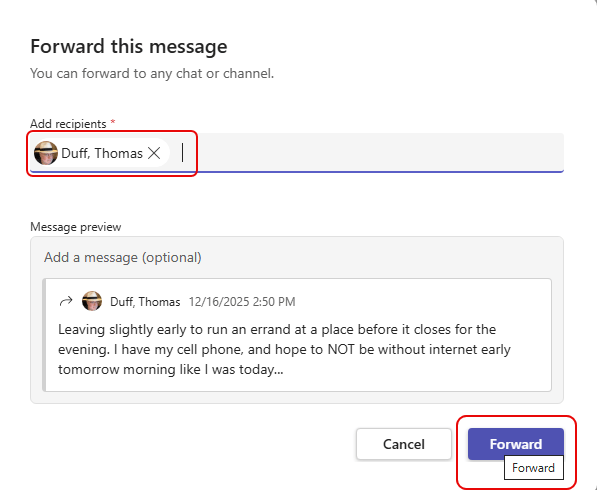
When I forwarded it, I could choose where to send it. In this case, I sent it to my “Chat With Yourself” chat:
When it appeared in my chat, I also got a link to the message that, when clicked, took me to the entire conversation. That way I was able to see the entire context of what was said:


 One Minute Office Magic