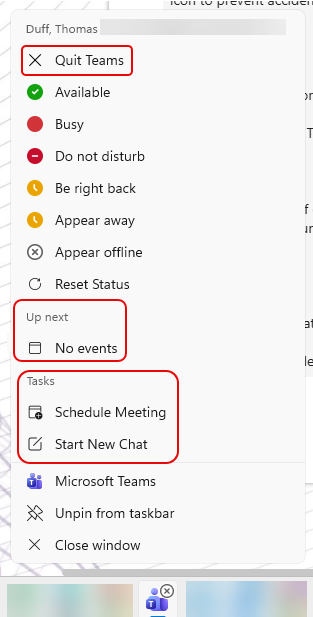
If you’re a Windows user, you are probably aware that you can right-click on an application icon in the Windows Task bar to see shortcuts to various options for that particular application. The Microsoft Teams desktop application has had some changes to the jump list that might save you some time. Here’s what it now looks like…
To see the jump list for an application, right-click on the icon in the ribbon bar. When you do that for Microsoft Teams, you should see some changes. The Quit Teams option is at the top now. The Up Next section will show any current or upcoming meetings and allow you to navigate to them quickly. And finally, you can now Schedule Meeting or Start New Chat directly from the Windows task bar:

 One Minute Office Magic