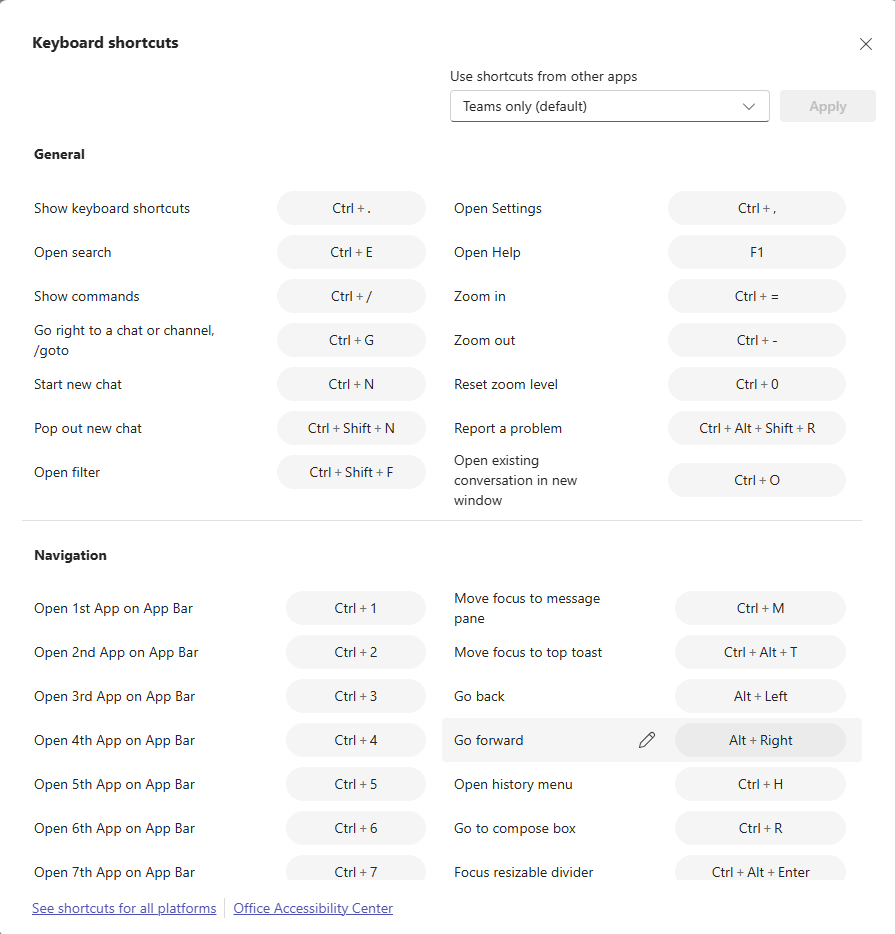
If you’re a keyboard shortcut person, you may have done a lot of searching for how to use all the various keyboard shortcuts in Microsoft Teams. There’s an easy way to get that entire list… just press CTRL-. (period). Here’s what it looks like…
If you press CTRL-., you’ll get the following pop-up panel that you can scroll through:

If you’d prefer checking out a page that shows all the Teams keyboard shortcuts for Windows, MacOS, and iPad, check out Keyboard shortcuts for Microsoft Teams.

 One Minute Office Magic