I ran across this cool tip the other day… You probably know some basic keyboard shortcuts that you use in Microsoft Word, but have you ever seen the entire list of keyboard shortcuts that work in Word? Using this tip, you can easily get a list of all of them. Here’s how that works…
To get the full list, start by clicking on View > Macros:
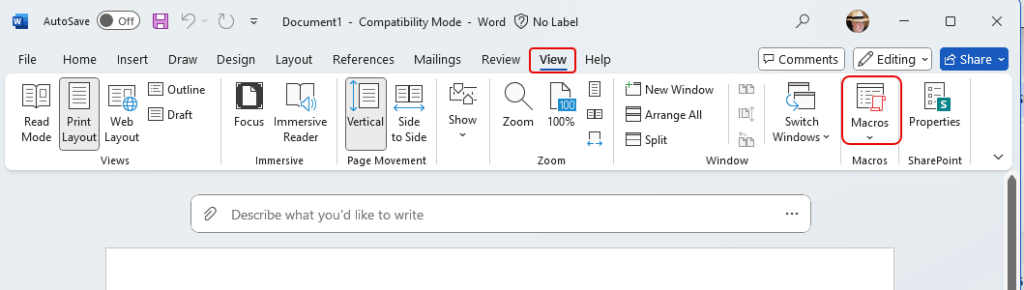
Click on the drop-down for Macros and select View Macros:

In the Macro name field, type in listcommands and click Run:

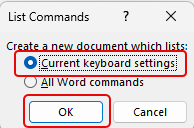
Select the option for Current keyboard settings and click OK:
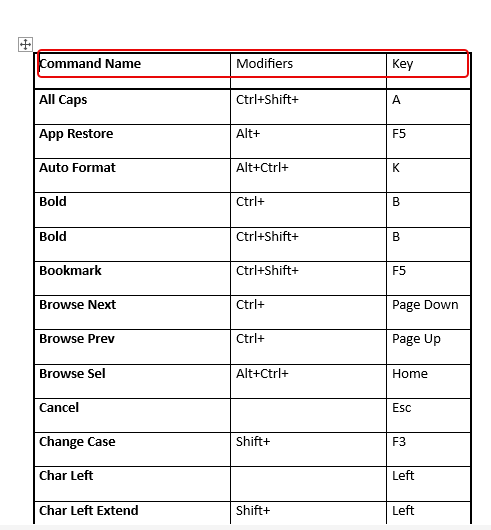
You now have a list of all the Microsoft Word keyboard shortcuts!

 One Minute Office Magic