
I did a tip on time zones in Outlook calendars back in 2022 when the feature first came out, but I wanted to revisit it given how certain work environments have changed. When you’re using the Outlook calendar (in the browser, New Outlook, or classic Outlook), you can show multiple time zones to the left of the time slots. While it’s easy to make one- or two-hour time zone shifts in your head, it’s a lot harder if your team is off-shore and scattered in different countries. Using this feature can be a lifesaver when it comes to knowing if and when to schedule a meeting for a certain time. Here’s how that works…
Here’s how my calendar looks with two time zones indicated:

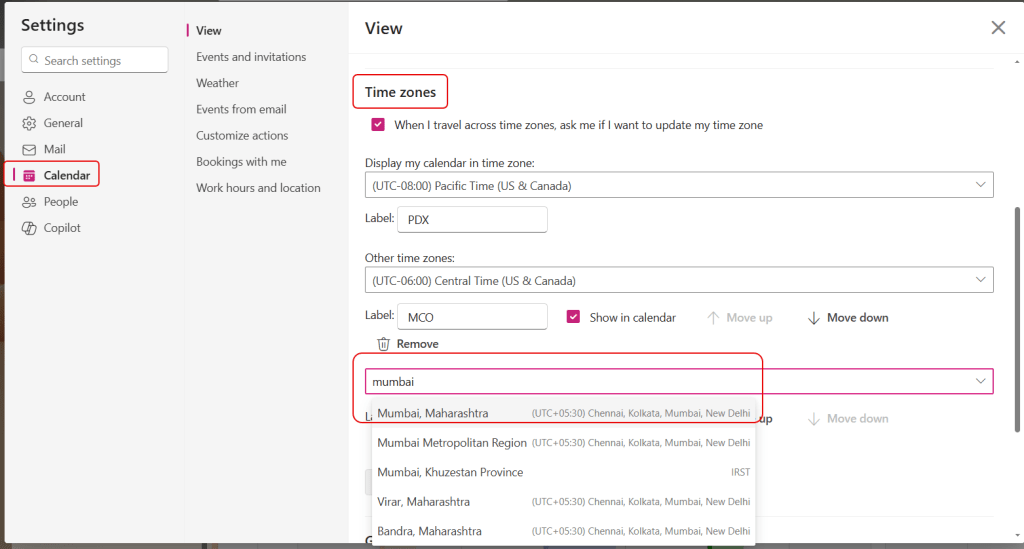
To set that (in Outlook on the browser or New Outlook), I go into Settings > Calendar > Time Zones. I can then start looking up new cities and adding their time zones to my calendar. In this case, I selected Mumbai:
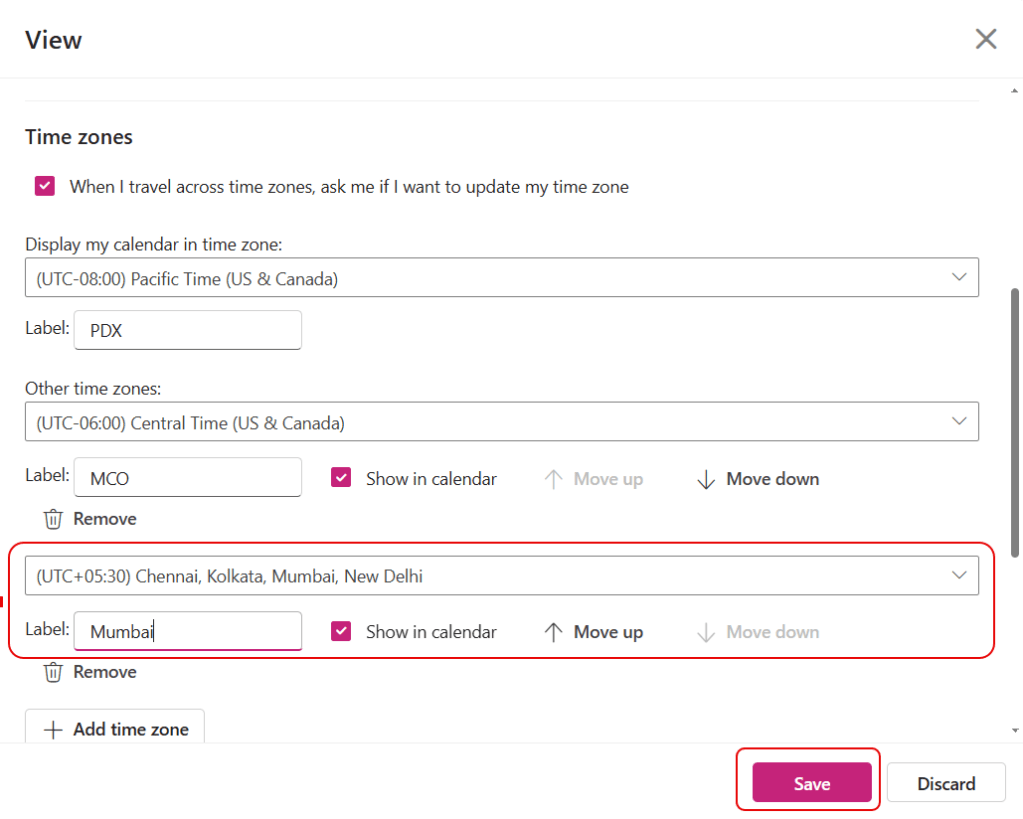
I gave the time zone a Label, and then saved it:
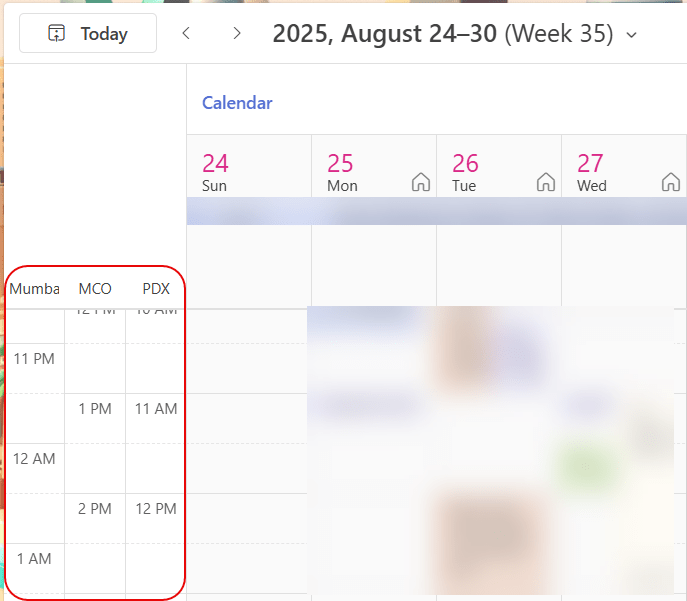
I now see all three time zones, and I don’t have to guess what time it is off-shore if I’m trying to schedule a meeting to include everyone:
In case you’re wondering, I added up to 10, and it was still letting me add time zones. However, the ten time zones were taking up half the calendar screen, so it becomes counter-productive at some point.
If you’re using classic Outlook, you can do the same thing (File > Options > Calendar > Time Zones), but you’re limited to only three time zones:


 One Minute Office Magic