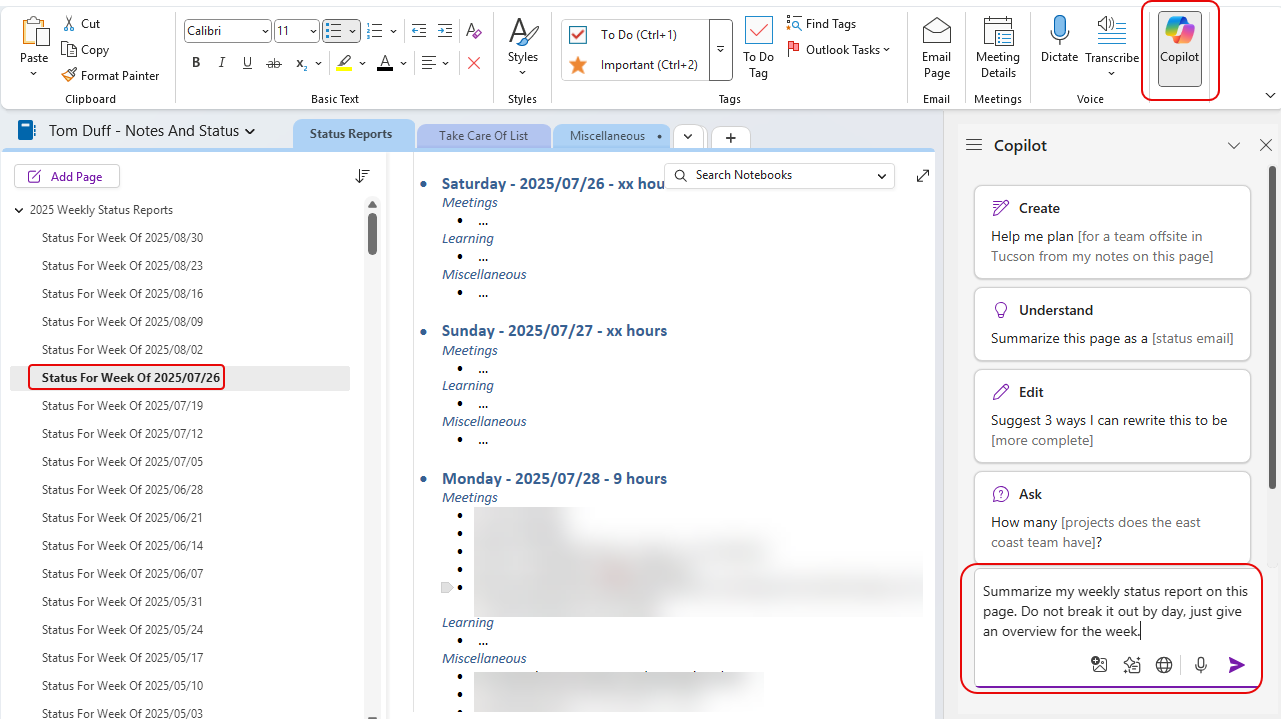
If you use OneNote, you no doubt have a lot of information locked away in there. However, it might be hard to find it or to use it in making decisions or generating content. You may not have realized that you can use Copilot in OneNote much like you do in other apps. Here’s an example of how that works…
In this example, I’m in my section where I store my weekly status reports. I click on the Copilot in the upper-right corner of the ribbon bar, and the Copilot panel appears. It gives me some sample prompts that focus on creating content, understanding content, editing content, and asking questions about the content. Here, I want it to summarize the weekly status report. My prompt is “Summarize my weekly status report on this page. Do not break it out by day, just give an overview for the week.”:
I then have a paragraph of my overall week, perfect for emailing to others and shielding them from all the fine details:

Definitely play around with this, and experiment with getting results from a single page, a section, or maybe even an entire notebook!

 One Minute Office Magic