
Have you ever opened up a large Word document from SharePoint or OneDrive, and you wish you could easily get a summary of the document automatically so that you have some idea of what it contains? Now, Copilot will provide that for you! Here’s what it looks like when you open that large Word doc…
I opened up the Challenges in Software Development Word document in my OneDrive, and Copilot goes to work automatically on generating the summary:

In a few seconds, I see the Summary section above the document, and I click View more to see the full display:

Copilot provides two sections… the first is a one page summary of the document so that I have an overview before I decide on reading the whole thing:
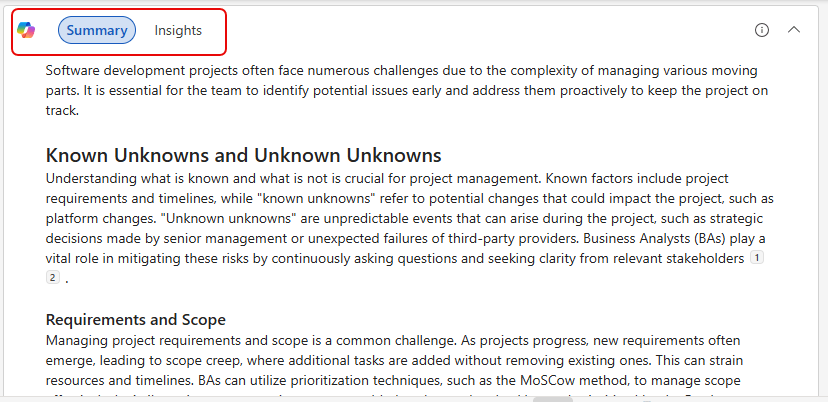
Next, I can click on the Insights tab to get some additional information in the summary:
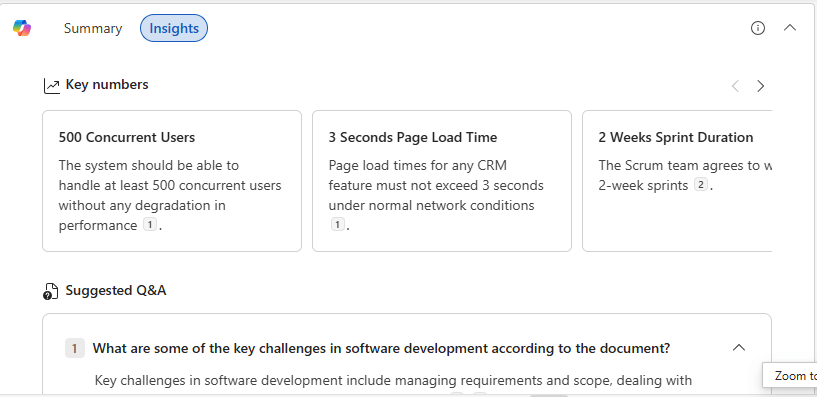
I get some key numbers, as well as some suggested Q&A that I might want to have if I’m going to be using the information in a presentation:
This is a handy automatic feature that can help you with overview and focus before you dive into 100 pages of text.
Do remember, Generative AI can be error-prone, so you do need to review the results before you take any actions.

 One Minute Office Magic