In Microsoft Teams chats and conversations, you’ve been able to hover over a message and head to the upper-right corner for the emoticons and the ellipsis for more options. Now you can get the whole package of emoticons and options by right-clicking on the message. Here’s how that looks…
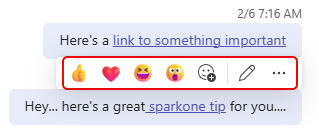
Using the existing option, you would hover over the message and get the following pop-up. However, if you wanted the additional options such as forwarding or replying, you had to click the ellipsis:
Now you can right-click on the message and get *everything* at once!
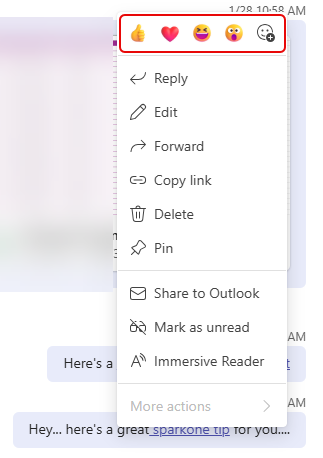
For me, this is a lot faster and more intuitive…

 One Minute Office Magic