Have you ever run across a message in a Teams channel and wish you could forward that content to another channel in Teams without having to copy and paste? Now you can by using the Forward feature in a Teams message. Here’s how that works…
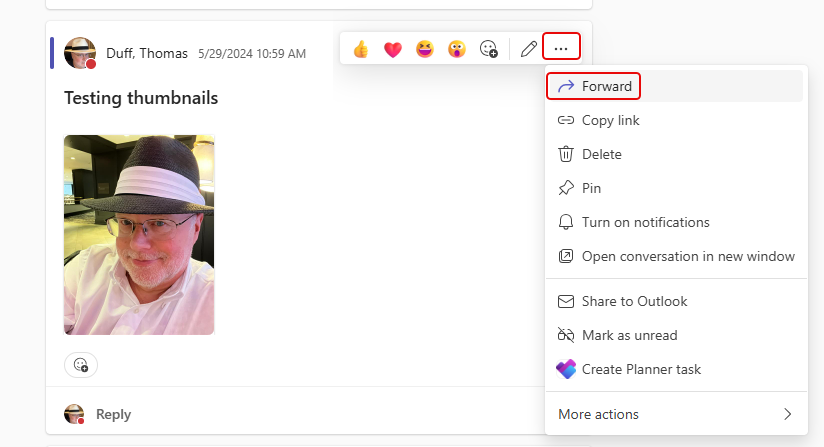
Here I have a message in a Teams channel that I’d like to forward to a different channel. To do that, I hover over the message, click the ellipsis, and select Forward:
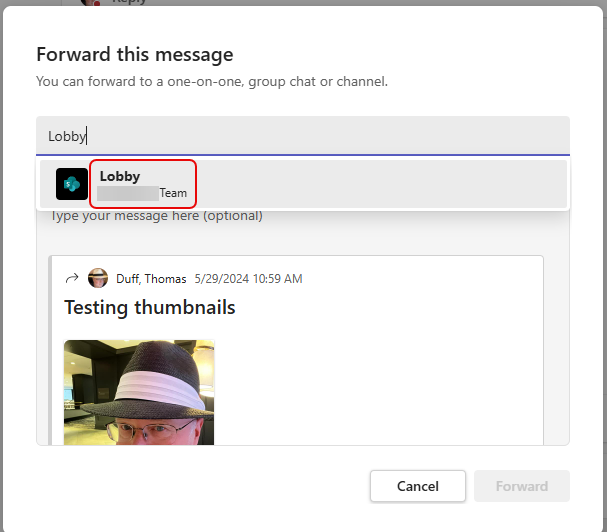
I can type the name of the channel in the To field, and then select the channel name option when it appears:
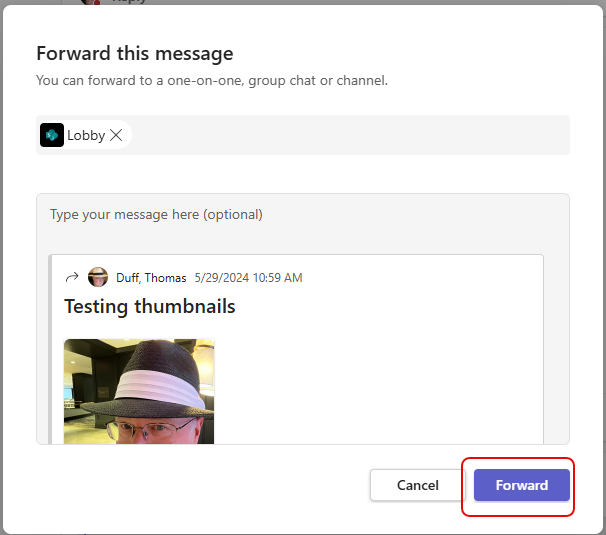
Now that I’ve select Lobby as the destination channel, I can click Forward:
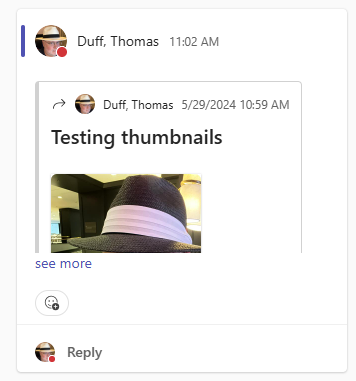
When I go to the Lobby channel, I’ll see the forwarded message there:
Also, you can also forward to any channel that appears in a Teams space that you have access to. In this example, I have three Training Spotlight channels in three different spaces. I could forward this message to any or all of those:


 One Minute Office Magic