Microsoft Teams recently updated the Search feature when it comes to finding content related to specific people. You can now filter based on specific types of results instead of having to wade through everything. Here’s what that looks like…
When you enter a name in the Teams search bar, you’ll see any name matches as well as some filtering options. In this case, I search on Sandra’s last name and selected her entry to get content related to her:

I can filter on Messages so that I only see content related to chats we’ve had:

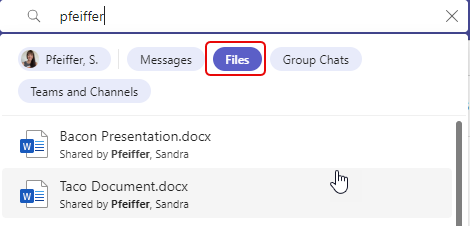
I can also click on Files to see any files that she’s shared with me:
And finally, I can select Group Chats to see any content that she’s shared in group chats that we are part of:

You can also click on the “in all results” link that you see in the first image if you just want everything related to that particular person.

 One Minute Office Magic