Have you ever found yourself part of a Microsoft Teams post where you keep getting notified when someone replies in the post, and you really don’t want to be bothered to get any more notifications on just that one post? Now you can turn off (or back on) notifications in an individual post in Teams. Here’s how that works…
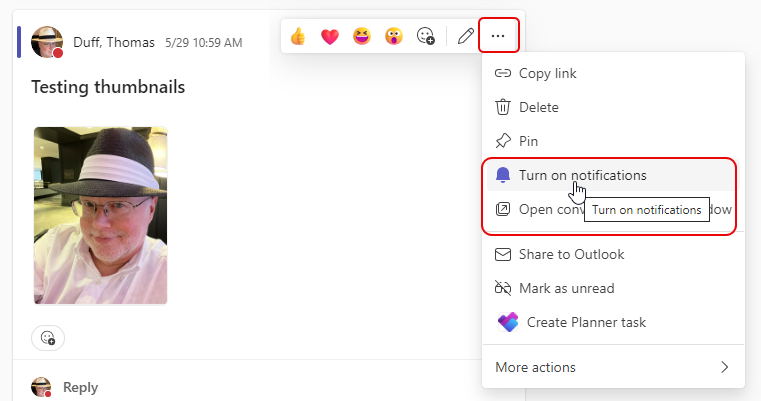
To turn off notifications on a specific post, hover over the post, click the ellipsis, and select Turn off notifications:

Once you do that, you will no longer be notified when people respond to that particular post. If you change your mind, just click on the ellipsis again and select Turn on notifications:
This is perfect for when you still want to get notified for posts in the channel, but there’s that one post that you really don’t want to ever see again…

 One Minute Office Magic