If you’ve been around Microsoft Teams for any length of time, you’ve probably heard (or made) the request to be able to change the name of the General channel to something more descriptive or useful. While you’ve been able to change channel names on other channels, the General channel has always been locked down… until now! It’s now possible to change the name of the General channel to something that better suits your needs. Here’s how that works…
To rename the General channel, hover over the General channel name until an ellipsis shows up to the right of the name. Click on the ellipsis and select Rename channel:

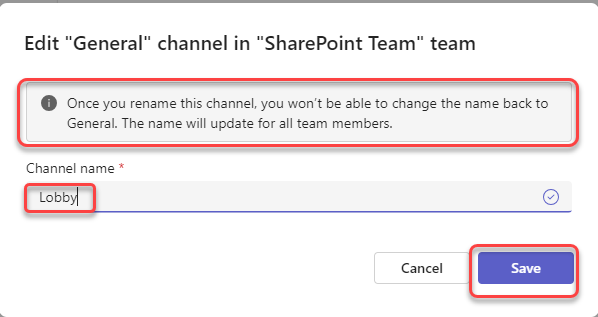
In the Edit dialog box, enter the new Channel name. Keep in mind that you cannot go back to the name of General when you do this. When finished, click Save:
Now when you look at your channel names in Teams, you’ll see the new name of your channel:

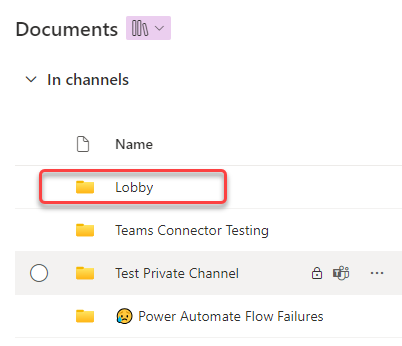
Also, if you look at the back-end SharePoint site associated with the Team, you’ll see that the channel folder name has also been changed to the new name:

 One Minute Office Magic