
As you may know, every Microsoft Teams space starts with a single channel called General. This channel cannot be deleted or changed, but sometimes people don’t want it out there as they want people to focus on the other specific channels that have been created. Now, you are able to hide the General channel in Teams, making it easier to avoid having people post information in a channel they shouldn’t be using. Here’s how that works…
To hide the General channel, click on the ellipsis next to General, and select the Hide option:

Once you do that, the General channel no longer shows up in the list of channels in Teams:
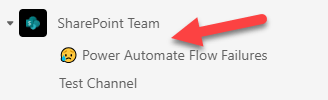
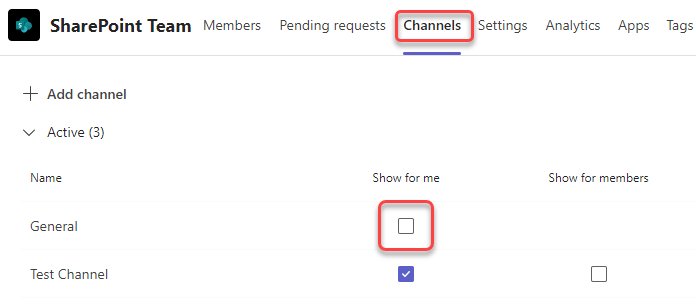
However, it’s not actually done… it’s just hidden. The owner(s) of the Team can go into the area to manage the Team and select Channels. To make it visible once again, they simply have to reselect the Show for me setting for General:
For more information on this feature, check out Teams Users Can Hide the General Channel.

 One Minute Office Magic