In the new Microsoft Teams, there’s a feature to have any calendar invites, updates, and cancellations show up in your Activity Feed. However, you might find that it adds a lot of clutter to your feed, making it harder to find the things that are more important. Here’s a way to shut down those calendar notifications so that your Activity Feed won’t get those posts…
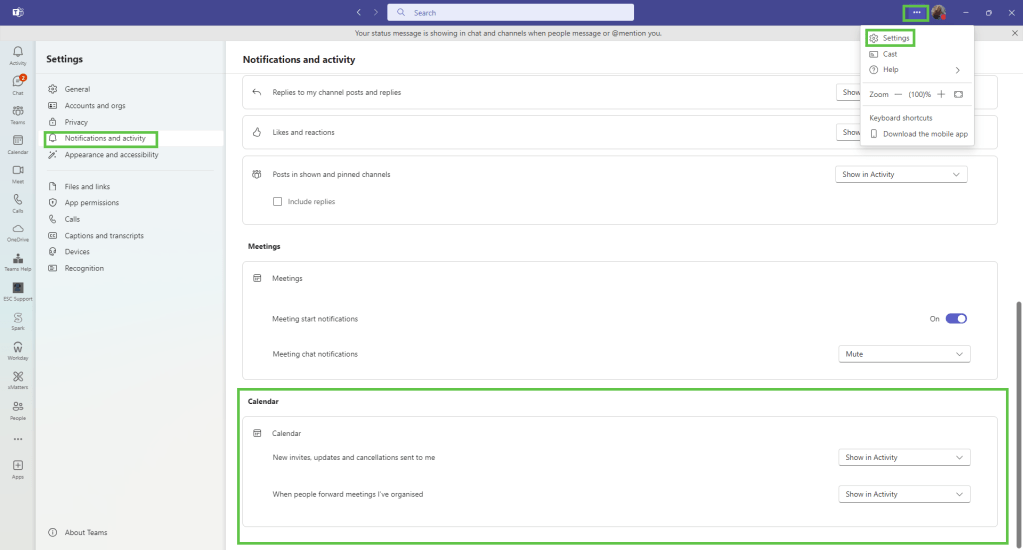
To shut off those notifications, go to the Settings option in the upper-right corner of Teams, and select Notifications and activity. Scroll down to the Calendar settings:
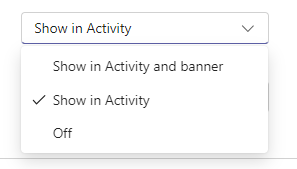
For the two options (New invites and forwarded meetings), you’ll see the following options that you can select. Select Off if you don’t want to see that information show up anywhere in your Teams client. That will reduce the amount of pop-up and posting distractions:
This option is currently rolling out in updates to the Teams client, so you may not yet see it in your version. But don’t despair… you will eventually. 🙂

 One Minute Office Magic