
When you’re in a document library in SharePoint Online and there is a long list of folders, it can be hard to quickly pick out a particular folder you might use on a regular basis. Now you can make it easier to find a particular folder by changing the color of it in the document library. Here’s how that works…
To change the color of an existing folder, right-click on the folder and select Folder color. That will give you the palette of 16 colors to choose from. Select the new color and click on it:

The color of the folder will then be updated to the selected color:

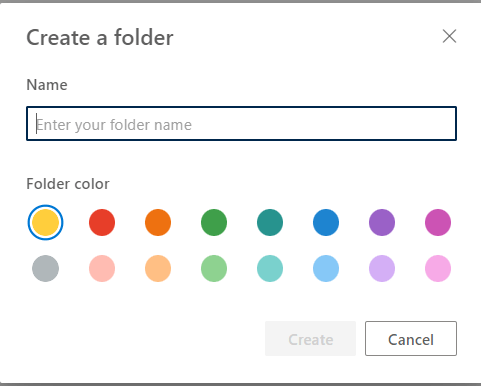
You can also set the color at the time you create the folder, too!
This same technique works in OneDrive in the browser also, since OneDrive is basically a SharePoint site that’s personal to you.

 One Minute Office Magic