
If you’re hosting a Microsoft Teams meeting and trying to moderate the lowering of hands after someone raises theirs, your job just got a bit easier. Teams will now automatically lower a person’s hand a few seconds after they stop speaking. Here’s what that looks like…
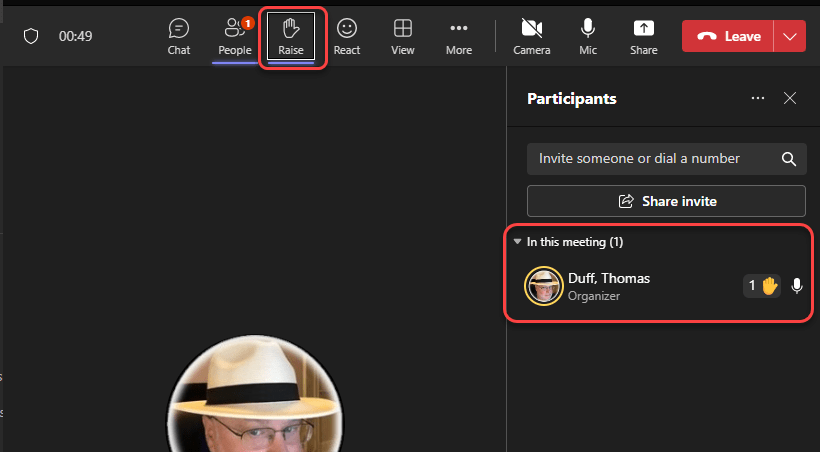
Here’s an example of my hand being raised in a meeting. The microphone is picking up my voice as evidenced by the yellow ring around my picture icon next to my name:
After I stop talking, Teams will show the following message after about five seconds of silence on my end:
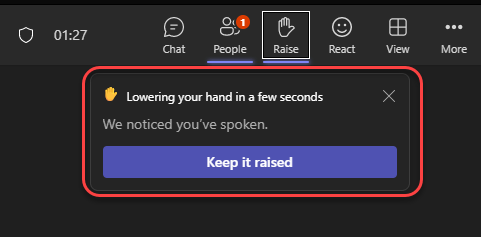
If I don’t take any action, the hand will be automatically lowered after approximately five seconds. If I want to keep my hand raised, I just need to click the Keep it raised button. Please note that if you have noise suppression turned off on your Teams client, this feature will not work for you.
This will make moderating meetings SO much easier..

 One Minute Office Magic