Microsoft has come out with a new SharePoint page web part that is rather interesting. It’s called an Editorial Card web part, and Microsoft describes it as “The SharePoint Editorial Card web part is a new feature designed to enhance content presentation on SharePoint pages and news. It allows for manual customization, enabling users to create visually appealing card-like containers tailored to specific needs.” Let’s dive in to see what it looks like and how it works…
Tag: Web Parts
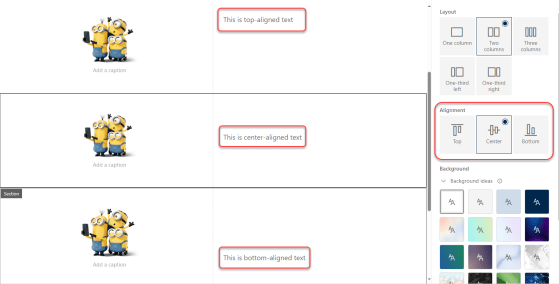
Aligning content in SharePoint 2- and 3-column sections
By default, content in 2- and 3-column sections in a SharePoint page always put the content at the top of the section. This could lead to “less than appealing” page layouts if you had a larger image with just a small amount of text in the second column. You ended up with a lot of white space that couldn’t be used for anything. Now, you have the option to pick the alignment of content along the top, center, or bottom. Here’s how that works…
Using Shapes in the SharePoint Image web part
When you have an image web part on a page, your image is pretty much shaped in some sort of square/rectangle format (unless you do something fancy prior to using it). Now the Image web part gives you the option to apply a shape to the image to make it stand out on the page, Here’s how that works and the different shapes you have available…
More options for the Text web part in SharePoint Online
When you’re creating a page in SharePoint, the Text web part is a workhorse. Recently, Microsoft added a few enhancements to the web part to give you some additional features. Here’s what they are…
Adding a Countdown Timer to your SharePoint site
It’s not unusual for a SharePoint site to be focused on a particular project with an upcoming deadline, and it would be nice to see how much time is remaining before the deadline. You can do that with a Countdown Timer web part on your SharePoint page. Here’s how you set that up and how it looks…
Using the Spacer web part on SharePoint pages
This was a thing I don’t think I had ever noticed until Sandra pointed it out to me recently. There’s a way you can add vertical white space in a SharePoint page section without resorting to line feeds in a Text web part. You can use the Spacer web part for a precise level of control. Here’s how it works and looks…
Improved table formatting in a SharePoint text web part
When you use the Text web part in a SharePoint page, the Table option in the web part has improved formatting and accessibility options. Here’s what they look like…
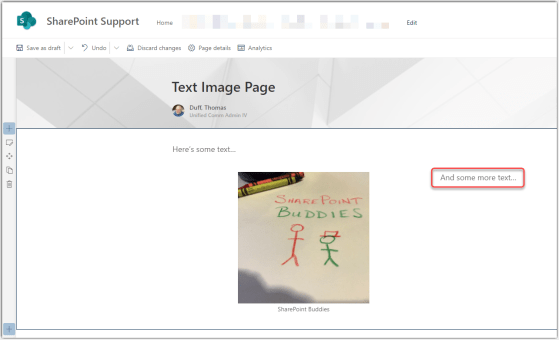
Adding text and images in a SharePoint Online text web part
This is a change I’ve been waiting for ever since I saw it hit the Microsoft 365 roadmap… the ability to paste combined text and images into a SharePoint Online text web part. Here’s how it works…
New web part groupings in the Web Part Toolbox
If you spend time creating new modern pages in SharePoint Online, you’re used to seeing the Web Part Toolbox laid out in an alphabetical order, which often means a lot of scrolling if the items you use frequently are towards the bottom… we’re looking at you, Weather web part… But help has arrived… The Web Part Toolbox is now grouped by web part types, and it also uses machine learning to put the ones you use most frequently up at the top. Here’s how it looks…