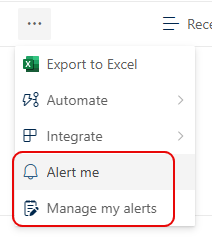
So this is the end of an era… the ability to set alerts in a SharePoint list or library is being retired. Microsoft is recommending more modern notification solutions for those types of notifications. Here’s what they have shared…
Learning new Microsoft Office tricks in "just a minute"
So this is the end of an era… the ability to set alerts in a SharePoint list or library is being retired. Microsoft is recommending more modern notification solutions for those types of notifications. Here’s what they have shared…

Have you ever been editing a SharePoint page and wished that you could have someone else working on it at the same time so that you could collaborate? Now you can with the new ability to be editing a SharePoint page or news post at the same time. Here’s how that looks and works…

Microsoft has come out with a new SharePoint page web part that is rather interesting. It’s called an Editorial Card web part, and Microsoft describes it as “The SharePoint Editorial Card web part is a new feature designed to enhance content presentation on SharePoint pages and news. It allows for manual customization, enabling users to create visually appealing card-like containers tailored to specific needs.” Let’s dive in to see what it looks like and how it works…

If you’ve been creating SharePoint pages for some time, you’re likely familiar with the Hero web part. It displays up to five tiles at the top of the page, and it allowed you to have the tiles laid out in a grid or layered down the page. Microsoft has added a new Carousel option for the Hero web part layout, and you might find it interesting to check out. Here’s how it works…

When you put an image in a SharePoint page banner, you have the ability to change the focal point of how the image is positioned. But you only see a narrow slice of the image, and you have to drag the focal point around without really seeing the full image content. The focal point feature has now changed, and you see the entire image when you’re selecting a focal point. That makes it a lot easier to get the effect you want, and here’s how that looks and works…
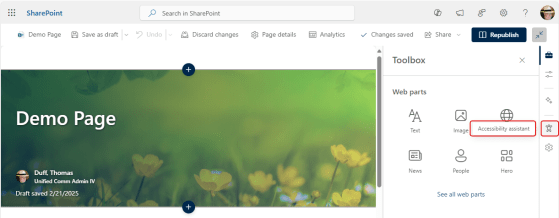
Making sure your SharePoint pages and content are accessible for the widest possible audience is important. However, few people are well-versed in accessibility guidelines and what to look for to make pages and content accessible to people who may have vision difficulties. Microsoft now has an Accessibility Assistant on SharePoint pages, and it makes the task of checking for accessibility issues much easier. Here’s how that works…

When you’re creating a SharePoint page with a moderate amount of text, you may want to have a particular line or two stand out for the reader. You can do this with Pull Quotes. When you’re formatting your text on a page, you can select from four different pull quote styles. Here’s how that works…
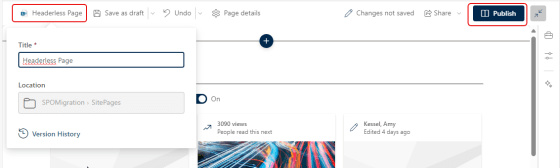
This is a good tip that Sandra sent my way today… Have you ever wanted to create a SharePoint page that didn’t have the normal page header at the top? It had been possible with using some hacks and workarounds, but now you can do it as part of editing your page in the browser. Here’s how that works…
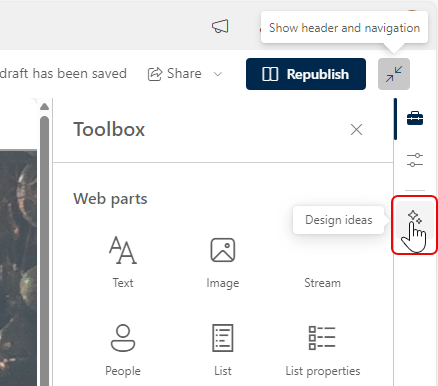
If you struggle with coming up with nice layouts on your SharePoint Pages, the new Design Ideas feature will be of interest to you. It can help you come up with design options that you may not have thought of (or like me, are incapable of). Here’s how that works…

