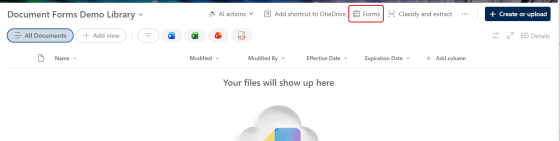
You may be used to using the Forms feature in a SharePoint list as a quick way to gather initial information for a list item. Now, you can use that same feature to collect a file and associated metadata in a SharePoint document library. This is a great way to make sure people enter the associated metadata for a file without having to take extra steps. Here’s how that works…
Tag: SharePoint Online
New user interface for SharePoint document libraries
It’s been a long time since there’s been any significant changes to the user interface of a SharePoint document library. Microsoft decided to update the layout and make it a bit more “OneDrive-like” in terms of layout and filters. Here’s what it now looks like and how it works…
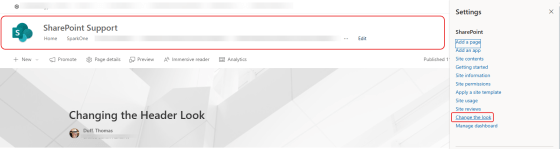
Changing the look of the header on your SharePoint site
Out of the box, the header on your SharePoint site pages are pretty plain. But there is a way that you can add some flair to it, especially if you want to make it stand out or apply a bit of theming. You do this using the Change the look option. This is now it works…
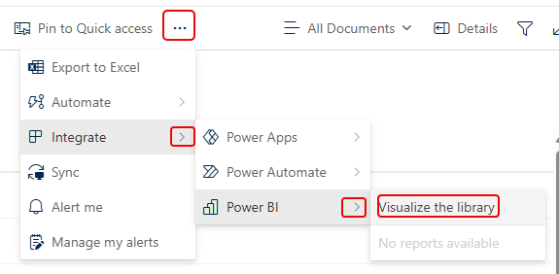
Retiring Power BI “Visualize the List” and “Visualize the Library” Features in SharePoint Online
If you have used the legacy Power BI integration in your SharePoint list or library (Visualize the List or Visualize the Library), you need to know that this feature is going to be retired starting in mid-November. Here’s what those options look like, and the information that Microsoft has provided on what replaces it…
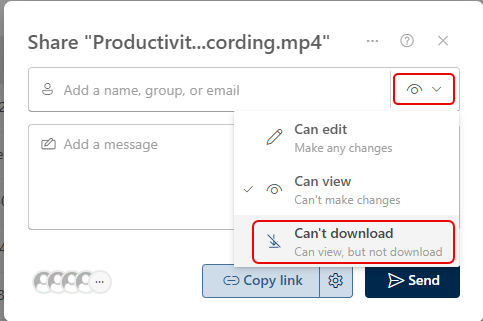
Share Stream videos as View But Not Download
There are certain situations where you want to share a video with an audience so they can view it, but you don’t want them to be able to download or copy it. Now you can do that with the sharing option of Can view, but not download. Here’s how that works…
Instantly Make the Settings Gear Icon Appear in SharePoint
One of my colleagues in the Microsoft 365 world posted this on his blog today, and it makes me so happy… When you are going to a SharePoint site, often the Settings Gear icon in the upper-right corner takes 5 to 10 seconds to load. That is a pain when you really just want to get to permissions or site contents. But with this little hack, you can get the gear to show up instantly with a single click. Here’s how that works…
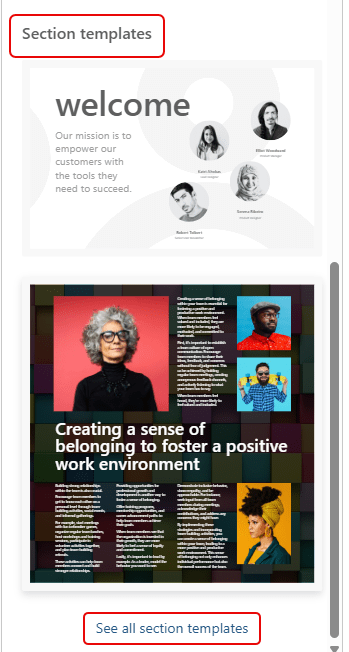
Using Section Templates on a SharePoint page
I had my mind blown away by Sandra today when she showed me a new feature in SharePoint pages… Section Templates! Now, you can design pages that look *really* awesome without having to be a design wiz. Here’s where they are and how they work and look…
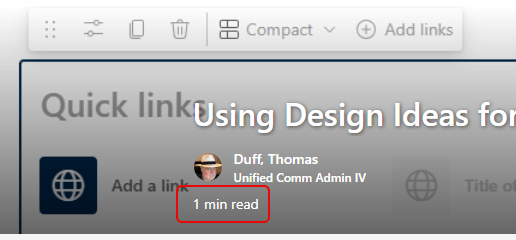
Seeing the Time To Read on SharePoint News posts
This new SharePoint News feature is one I really like… When you create a new SharePoint News post, the page will calculate the time it takes to read, presenting you with a read time number in the title bar of the article. Here’s what it looks like and how to turn it off if you want…
Using Design Ideas for a Quick Links web part
I *love* tips that show how to get design help when building SharePoint pages. I have very little sense of design, so my pages can look pretty blah… especially around Quick Links web parts. But using the Design Ideas feature for that web part, you can get some really attractive options that break away from the traditional look and feel. Here’s how that works and looks…