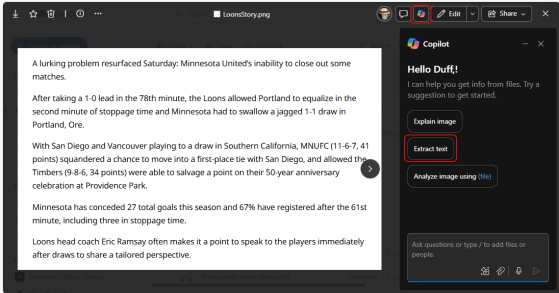
It’s not uncommon that you have a picture of something that includes text, and you really want to be able to use that text in an email or document. Optical Character Recognition (OCR) is the way to go, but do you have any software to do that? You do if you have Copilot! Here’s how that works…
Tag: OCR
Optical Character Recognition (OCR) in OneNote
There’s nothing more frustrating to see some interesting writing on a page, and you can’t copy it into a Word document as it’s actually part of an image (like an image caption). But with OneNote, you can use the built-in Optical Character Recognition (OCR) feature to get the text in the image turned back into real text you can copy and paste. Here’s how…
Extracting Text From an Image in OneNote
OneNote is a great option for Optical Character Recognition tasks.