This latest “retirement” of a feature just came out in the last couple of days. If you’re used to inserting PDFs or PowerPoint slide decks in Microsoft Whiteboard, you’ll need to rethink your options. This feature will start to be retired starting in early January 2026. Here’s the Microsoft information…

Tag: Microsoft Whiteboard
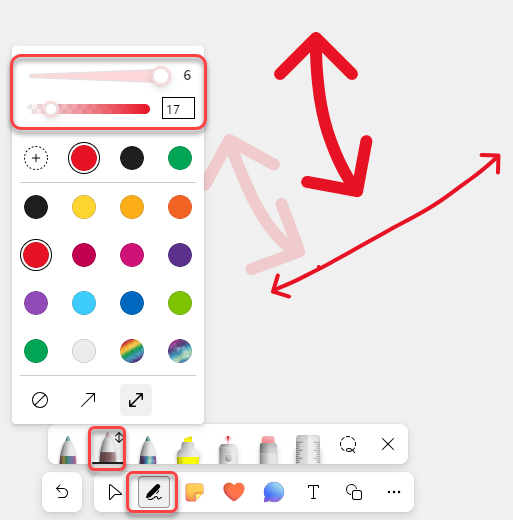
Enhanced Ink Color Picker in Whiteboard
It used to be that when you were using the pen option in Microsoft Whiteboard, you were restricted when it came to line thickness and color opacity. No longer! You now have many more options in that area. Here’s what the new Ink Color Picker looks like…
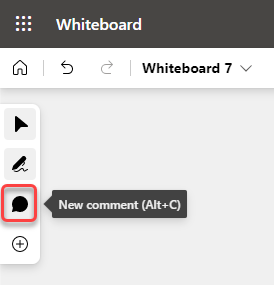
Modern Comments in Microsoft Whiteboard
Microsoft has been hard at work recently in making sure that the Microsoft 365 offerings have consistent commenting capabilities. Whiteboard is the latest with the updated commenting feature, and here’s how it works…
Creating and using your own templates in Microsoft Whiteboard
If you’re a regular user of Microsoft Whiteboard, you probably have a few formats and layouts you use on a regular basis. Now there’s a way to save those as your own Whiteboard templates, as well as being able to share those templates with others. Here’s how that works…
Timer feature in Microsoft Whiteboard
One feature that has been missing in Microsoft Whiteboard is a built-in timer function. This is useful for when you’re doing an exercise and you want the participants to know how much time is left. With the latest set of changes to Whiteboard, there is now a built-in timer. Here’s how it works…
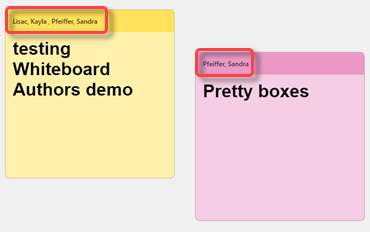
Show Sticky Notes Author on Microsoft Whiteboard
When using Microsoft Whiteboard, it can be a bit frustrating to know who put a sticky note on the board, as well as who last modified it. Whiteboard now records the name of the note author as well as the last person who edited it. Here’s what that looks like…