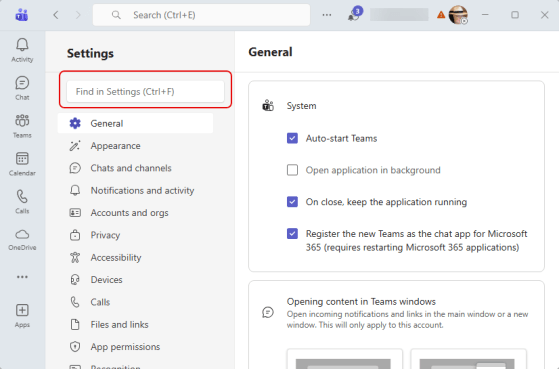
Have you ever gone into the Settings for Microsoft Teams to change something, and found yourself clicking through every single option looking for what you’re after? Now you can just search for the option using the Settings search. Here’s what that looks like:
Tag: Microsoft Teams
Popping out the chat window in a Microsoft Teams meeting
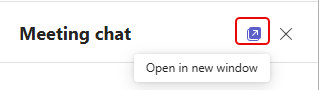
Sometimes screen real estate can become an issue if you have a lot of things going on in a Teams meeting. You can now pop out the Chat pane into a separate window, however. That can give you more room to see screen sharing by others. Here’s how that works…
Using the new Threads channel format in Microsoft Teams
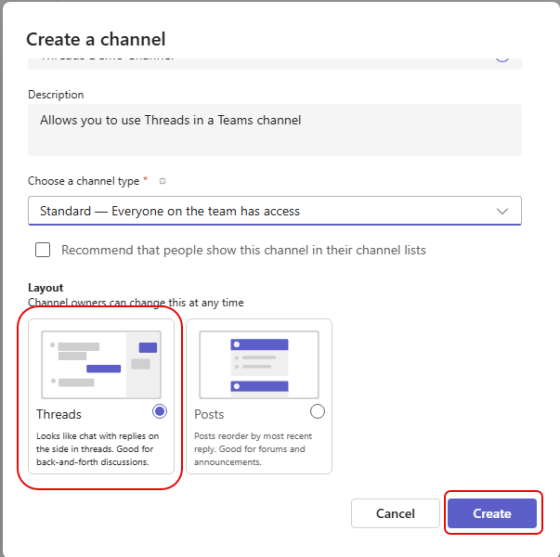
When you’re working in a busy Teams channel with multiple people responding to multiple posts, it can get hard to follow and/or scroll through what is going on. Microsoft has a new formatting option for Teams channels called Threads. It enables you to respond to a post with replies that do not clutter up the main screen, and appear in a separate Threads panel. Here’s how that works and looks…
Using the Timer feature in Microsoft Teams meetings
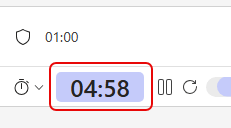
Have you ever been in a Teams meeting where you have an agenda item that should take a set amount of time, like five minutes? Do you still find yourself stuck on that agenda item after 15? Teams has a new feature that can help control time sprawl on those discussions… the Timer! Here’s how that works…
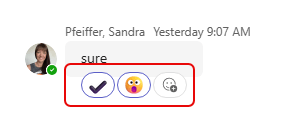
Multiple emoji reactions in Microsoft Teams
We all love to use emojis as reactions to a message in a chat or channel. But sometimes, a single reaction doesn’t quite explain your true feelings about something. 🙂 Now, you can put multiple emojis on a message to get your *real* message across. Here’s how that works…
Remove toggle for Calendar in Teams
As you might have noticed, Microsoft Teams has a new Calendar experience that you’ve been able to toggle on and off. The new experience is designed to more closely mirror your Calendar experience in Outlook. Microsoft announced this morning that they will be removing the toggle switch in September, and at that point everyone will be in the new experience. Here’s the Microsoft announcement wording:
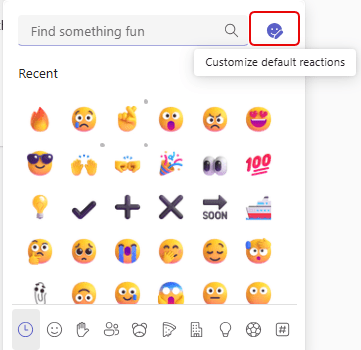
Changing your default emojis in Teams
This tip comes to you via Sandra’s significant other… spousal tips are awesome! Did you know that you can change the default emojis that appear when you click on a chat message in Microsoft Teams? I certainly didn’t… and neither did Sandra. 🙂 Here’s how you can set the default five emojis that you can easily access when you’re reacting to a chat message…
Speaker Coach in Microsoft Teams is being retired
This is a change that makes me a bit sad. The Speaker Coach feature in Microsoft Teams is being retired and will no longer be available by late August, 2025. Apparently this was a Preview feature (I didn’t realize that), and Microsoft has decided not to move the function to general availability…