Episode 293 of the Microsoft 365 Pulse Roadmap webcast is now out on YouTube. Join Tamara Bredemus and Thomas Duff as we cover this week’s updates.
Learning new Microsoft Office tricks in "just a minute"
Episode 293 of the Microsoft 365 Pulse Roadmap webcast is now out on YouTube. Join Tamara Bredemus and Thomas Duff as we cover this week’s updates.
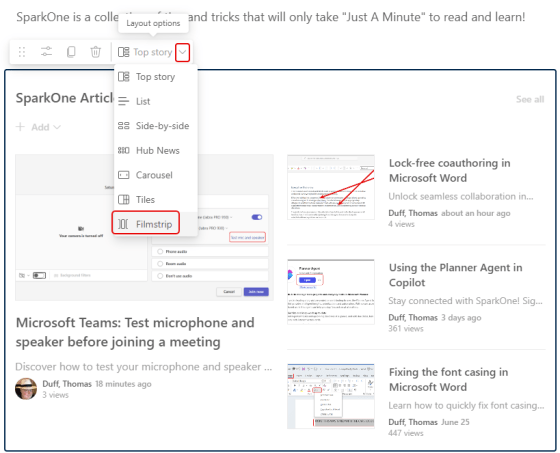
It’s very common to use the Top Story layout in a News web part on a SharePoint page… but now you have a new option: the Filmstrip layout. Here’s how you select it and what it looks like…
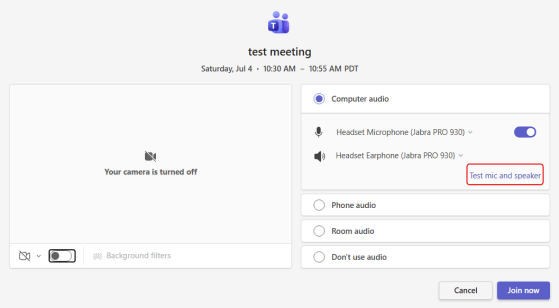
Ah, yes… in virtually every Teams meeting, you will hear this phrase: “Can you hear me?” Wouldn’t it be nice if there was a way you could test your microphone and speakers before you actually join a meeting? Now you can! Here’s how that looks and works…
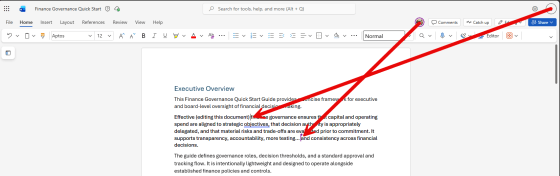
No doubt you’ve taken advantage of coauthoring in the various Microsoft 365 offerings like Word, Excel, and PowerPoint. However, you have probably also run into the locking limitations, such as only a single person being allowed in a Word paragraph at a time. Microsoft has fixed that with lock-free coauthoring in Microsoft Word. Here’s what that looks like…
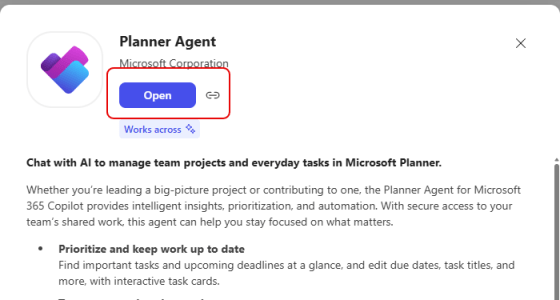
There have been a number of people looking forward to the Planner Agent in Copilot, and it’s finally available for all Planner levels! Here’s how to find it and a simple example of how to use it…
Episode 292 of the Microsoft 365 Pulse Roadmap webcast is now out on YouTube. Join Tamara Bredemus, Jennifer Mason, and Thomas Duff as we cover this week’s updates.
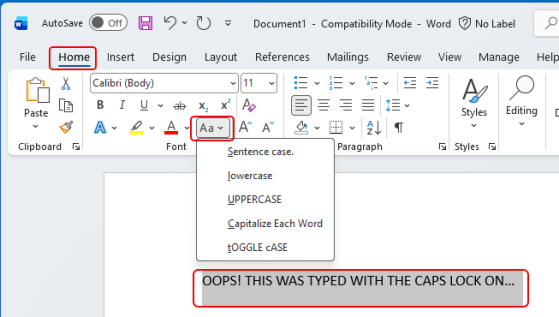
Another tip from my favorite software trainer (that would be my wife.) If you inadvertently click your Caps Lock key in Word and type a bunch of text before you notice, you might be dismayed at the thought of retyping it all again. However, Microsoft Word has a feature that will allow you to change the case of a highlighted chunk of text. Here’s what that looks like and how it works…
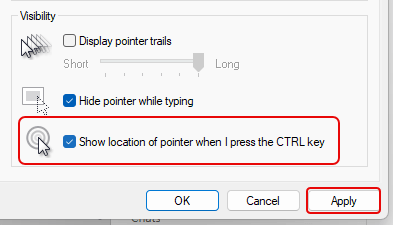
Thanks to my wife who is also a software trainer, I learned a new trick on how to make it easier for people to see your cursor on the screen when you’re presenting… just press the CTRL key! Here’s how to set that up and how it works…
Episode 291 of the Microsoft 365 Pulse Roadmap webcast is now out on YouTube. Join Tamara Bredemus and Thomas Duff as we cover this week’s updates.

