Episode 241 of the Microsoft 365 Pulse Roadmap webcast is now out on YouTube. Join Tamara Bredemus, Adam Ochs, and Thomas Duff as we cover this week’s updates.

Learning new Microsoft Office tricks in "just a minute"
Episode 241 of the Microsoft 365 Pulse Roadmap webcast is now out on YouTube. Join Tamara Bredemus, Adam Ochs, and Thomas Duff as we cover this week’s updates.

Episode 240 of the Microsoft 365 Pulse Roadmap webcast is now out on YouTube. Join Jennifer Mason, Tamara Bredemus, and myself as we cover this week’s updates.
Microsoft has posted a Message Center update stating that Sway will retire from the “Create” tab in the Microsoft 365 home page due to “low usage.” While they are not retiring Sway as a product offering, a little reading between the lines doesn’t bode well for its long-term future…
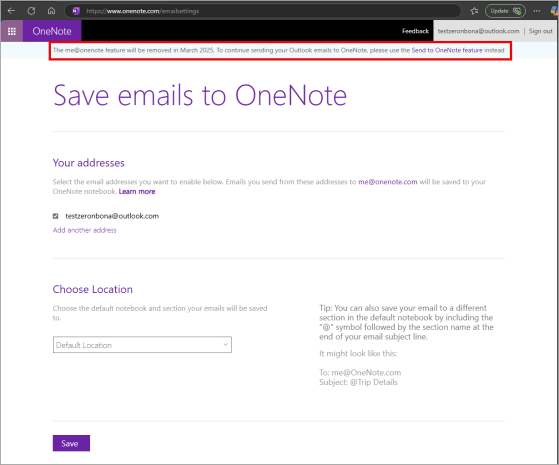
It seems we’ve been seeing a number of announcements for features that Microsoft is retiring. This particular one, “me@onenote” is one that I have to admit I have NEVER heard of, much less used. However, if you are smarter than me and figured this out at some point, you need to know that it’s going away as of March 26th, 2025. Here’s the announcement information from Microsoft…

Episode 239 of the Microsoft 365 Pulse Roadmap webcast is now out on YouTube. Join Jennifer Mason, Tamara Bredemus, and myself as we cover this week’s updates.
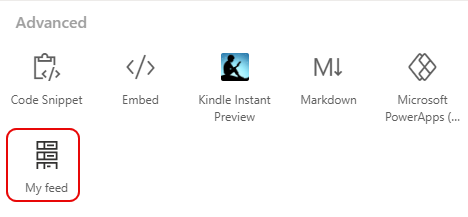
Here’s a heads-up from Microsoft concerning the retirement of the My Feed web part in SharePoint…

Episode 238 of the Microsoft 365 Pulse Roadmap webcast is now out on YouTube. Join Tamara Bredemus and myself as we cover this week’s updates.

If you’re using Outlook on the web and you’re looking at a long attendee list for a meeting, it may take you a while to find the person you’re looking for. Fortunately, there’s now a search function you can use in the attendee list to make it easy to find the person to see if they’ve accepted, declined, or ignored the invite. Here’s how that works…
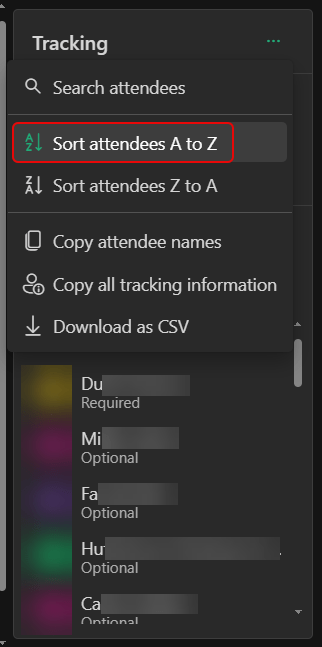
If you’re using Outlook on the web and you’re looking at the attendee list for a meeting, you’ll notice the name order is pretty much random (probably first come, first serve). That makes it really hard to wade through the list of people to look for someone. Now you can actually sort the list alphabetically. Here’s how that looks…
 One Minute Office Magic