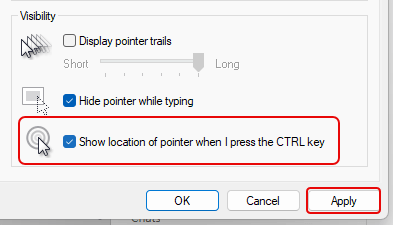
Thanks to my wife who is also a software trainer, I learned a new trick on how to make it easier for people to see your cursor on the screen when you’re presenting… just press the CTRL key! Here’s how to set that up and how it works…
Category: Windows
Using the Windows Key + period to get the Emoji pop-up
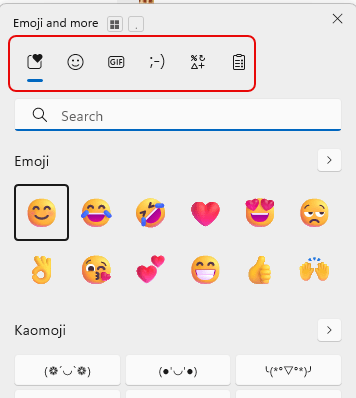
One of my work colleagues shared this tip with me, and I thought it was so good that I’ll pass it along to you. If you press the Window key + . (the period), you’ll get a cool Emoji pop-up screen along with some other useful clickable goodness. Here’s how that works…
Clipboard History in Windows 11
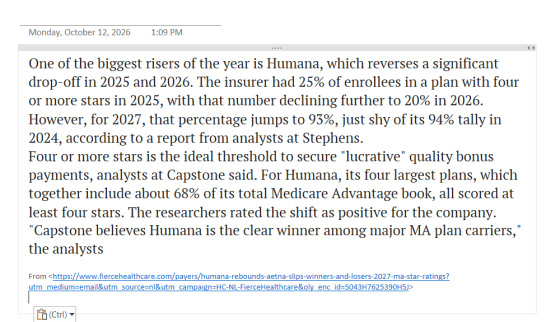
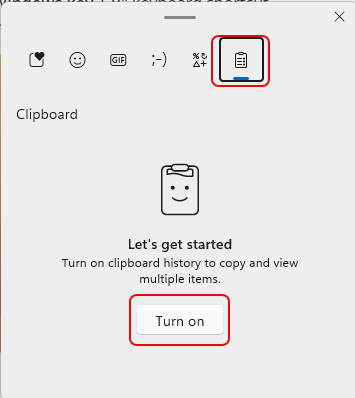
I really enjoy having a wife that works in the same technology field that I do. At dinner last night, she said “Here’s a SparkOne tip for you… Clipboard History in Windows!” Boom… mind blown! This feature allows you to store a history of clipboard copies so you can easily refer back to them when you need to paste that text again. Here’s how it works…
Minimizing all your open screens at once on Windows
Have you ever been in a situation where you need to minimize all your open screens for some reason… like someone walks into your office and shouldn’t see confidential information on your monitor? There’s a simple keyboard shortcut that will do exactly that…
Using Ctrl+Shift+V to paste text without the underlying formatting
It’s so frustrating when you do Ctrl+C to copy some text, and when you paste it into something like an email, it copies over all the text formatting too. So you head over to Notepad to paste it there (to lose the formatting), and then you copy and paste it into something like Outlook or Teams to get just the text. Today I learned that you can use Ctrl+Shift+V (or Option+Shift+Command+V on a Mac) to paste over content without formatting! Here’s how that works…