When you use the Text web part in a SharePoint page, the Table option in the web part has improved formatting and accessibility options. Here’s what they look like…
Category: SharePoint Online
Using Layers in the Hero web part in SharePoint pages
If you’ve created SharePoint pages, you’ve probably used the Hero web part to display up to five windows of content. But Sandra showed me a variation of the Hero web part that I’ve never noticed before… layers! Layers gives you a different layout and the opportunity to have more context in each of the areas. Here’s how that works and looks…
New document library templates for SharePoint Online
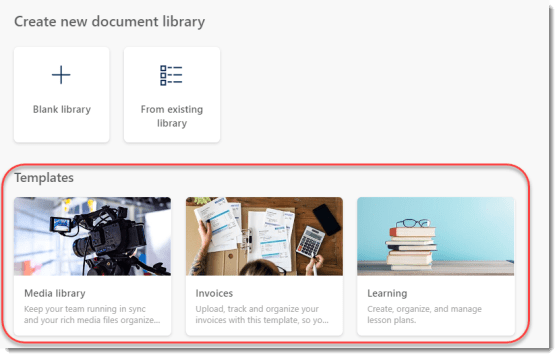
Up to now, creating a new document library in a SharePoint Online site was something that was “bare bones” in nature. You had a couple of basic fields, and you had to build any additional metadata fields on your own. Now, Microsoft gives you some options in terms of document library templates you can choose from. These may be a good starting place for you when building out a new process. Here’s what they are…
The Stream Web Part for Stream on SharePoint and OneDrive
Now that Stream Classic is in its waning days, you will need to start using the new Stream web part on SharePoint pages. This Stream web part works for videos that are stored on SharePoint and OneDrive sites. Here’s how it works…
Text Overlay options for images in SharePoint Online
A Microsoft 365 colleague posted a short while back about some new options for adding text overlays to images on a SharePoint Online page. These provide some interesting options for adding text to an image without having to necessarily use an image processing tool. Here’s how it works…
Opening Quick Links in a new window
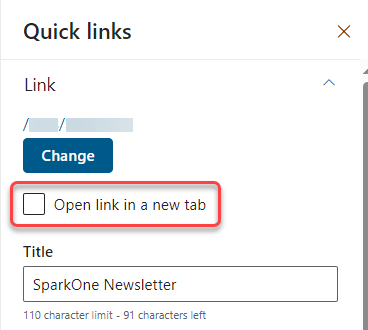
This has been a long time coming… 🙂 When using the Quick Links web part in a SharePoint Online page, you can now set whether the associated link should open in a new tab! Here’s how that works…
SharePoint News for Email
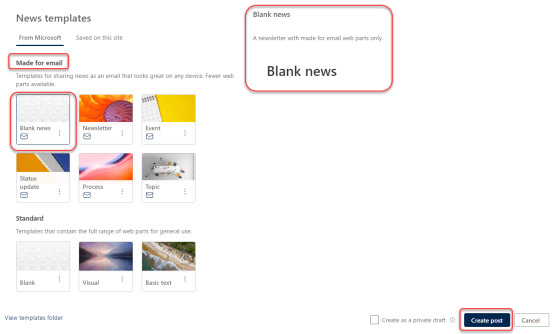
This is a feature I’ve been wanting to see for a VERY long time. You can now create SharePoint news posts that are designed to be sent out via email, with ALL the content viewable in the email! Even nicer is the fact that viewing stats for the news post will include both views via the SharePoint site *and* the inbox. Here’s how all this works…
Colored Folders in SharePoint Online and OneDrive
When you’re in a document library in SharePoint Online and there is a long list of folders, it can be hard to quickly pick out a particular folder you might use on a regular basis. Now you can make it easier to find a particular folder by changing the color of it in the document library. Here’s how that works…
Seeing (and clearing) applied filters in a Microsoft list
We just had this new feature roll out in our SharePoint tenant, and it’s pretty cool. When you filter your view on column values, you will now see what the filters are at the top of the view, as well as a button to clear all the filters at once! Here’s what it looks like…