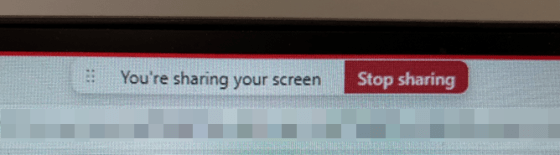
Ever since the advent of New Teams, there’s been complaints about the Screen Sharing Bar and where it appears when you’re sharing your screen in Microsoft Teams. You’d go to click on part of your screen that occupied the same area as the bar, and the bar would appear. There was not an easy way to reposition the bar so you could access whatever occupied the same space. Now you can move that bar around, and it’s SO much easier to work with. Here’s how that works… and please forgive the quality of the screen “captures”… my screen capture tool wouldn’t capture the bar, so I had to use my cell phone… 🙂
Category: Microsoft Teams
Getting notifications when an Available/Offline status change occurs in Teams
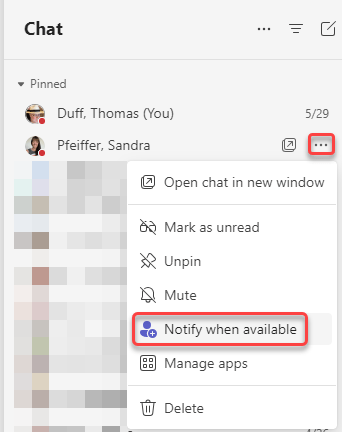
One of the things that people really missed when we moved to New Teams was the ability to get a notification when someone’s status went from Offline to Available. When the Contacts in Teams went away, so did that functionality… but now it’s back! 🙂 You can now set notifications in Teams in two different ways. Here’s how that looks and works…
New filter pills in the Microsoft Teams Activity Feed
If you use the Activity Feed in Microsoft Teams to find out what’s unread and where you’ve been mentioned, you’ll see a slight change at the top of the feed. Microsoft has added filter pills at the top to make those two options easier to use. Here’s what that looks like…
Adding images in Microsoft chats and conversations
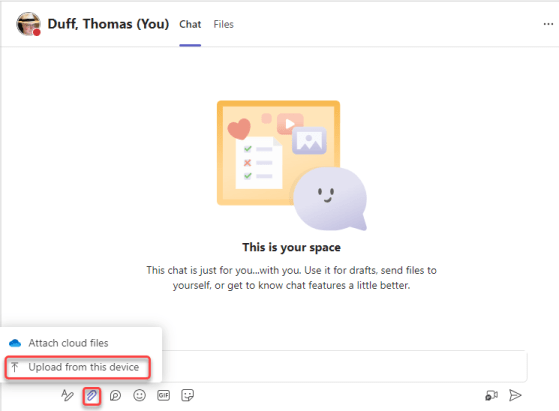
Recently we discovered that a new change has rolled out to our tenant when it comes to image files attached to a Microsoft Teams chat or channel conversation. Instead of the file just showing as a file name (with no clue as to what the image looks like), it now shows the actual image! And, if needed, you can still download the image file if you need to. Here’s what it looks like and how that works…
Creating a meeting from a Microsoft Teams chat
When you’re having a group or one-on-one chat with someone in Microsoft Teams, you may get to a point where having an actual meeting is necessary. Here’s an easy way to create that meeting that automatically invites everyone in the chat…
Announcement images in Microsoft Teams channel posts
When you want to make an announcement in a Microsoft Teams channel, it’s always nice to have an eye-catching image to get the attention of the reader. But if you’re like me, you spend FAR too much time trying to find just the right image. Now you can let Designer create a great announcement image for you! Here’s how that works…
Using the Discover feed In Microsoft Teams
If you have a large number of Teams spaces that you are part of, it can be difficult to keep track of everything that’s going on in the various Teams. To make things a bit easier, you might want to check out the Discover feed in Teams. Here’s what it looks like and how it works…
Change Group Chat profile picture in Microsoft Teams
If you’re part of a group chat in Microsoft Teams, you’ll notice that the icon for that chat is a mix of three profile pictures of the group participants. But it would be nice if you could change that icon to be more representative of the group… or perhaps just more fun. Well, now you *can* change that picture, and here’s how you can do it…