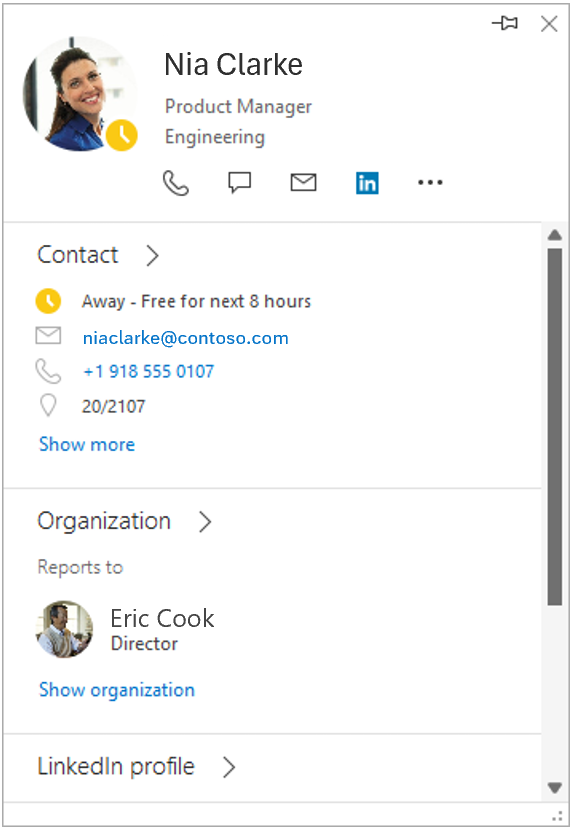
Late last week, Microsoft announced that the expanded people card in Classic Outlook would be retired, and you would only see the standard card instead. Here’s the announcement…
Introduction
The people card experience in Classic Outlook is simplifying. As part of this update, the people card expanded view in Classic Outlook will be retired. This change streamlines the experience and ensures consistency with other Office applications where only the standard contact card is available.
When this will happen:
- We will retire the people card expanded view from Classic Outlook starting June 1, 2026, and ending June 30, 2026.
How this affects your organization:
Who is affected:
- Users who use Classic Outlook and access the people card expanded view.
What will happen:
- The people card expanded view in Classic Outlook will be retired.
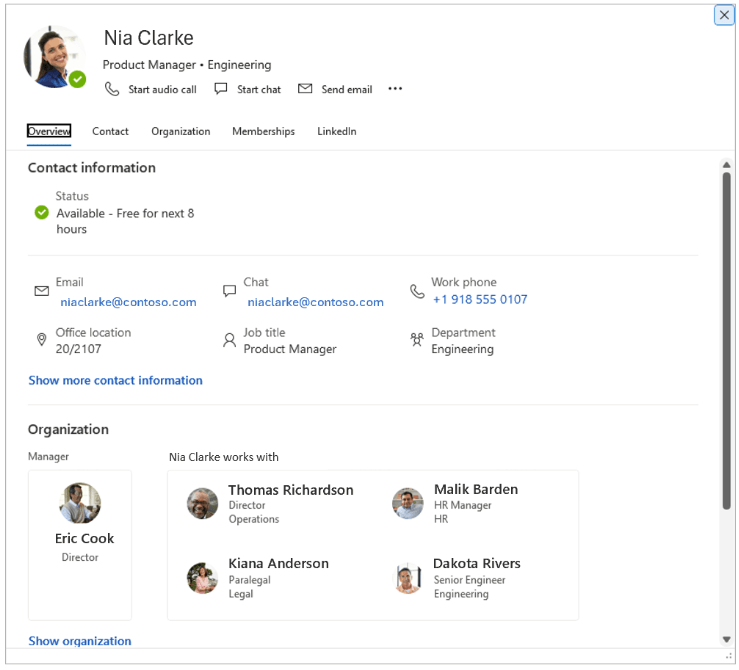
- Only the standard contact card view will be available in Classic Outlook.
- Users will continue to find the standard contact card when hovering over a recipient. This experience already exists in other Office applications and in some Outlook configurations today.
- Today, users can access the expanded view in Classic Outlook by right‑clicking an email recipient and selecting Open contact card, or by double‑clicking an email recipient. After retirement, these same actions will display the standard contact card instead.
- The standard contact card does not include the following features that were available in the expanded view:
- Local time
- “Works with” in the organization chart
- Change picture entry point (accessible from Outlook by selecting File, then clicking the Change link under your photo)
- Users who rely on these features can use Outlook on the web or New Outlook, which provide a richer people card experience.

 One Minute Office Magic