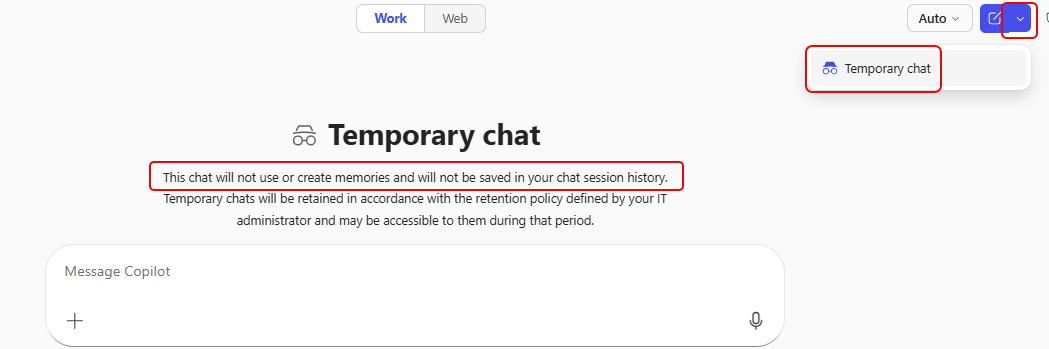
I ran across something interesting today when I was using Copilot. I found a feature called Temporary chat. Here’s what it looks like and why you might want to use it…
To start a temporary chat, click on the dropdown in the upper-right corner and select Temporary chat. The chat interface changes to let you know that you’re in a temporary chat, and that it will not create memories or get stored in your chat history:
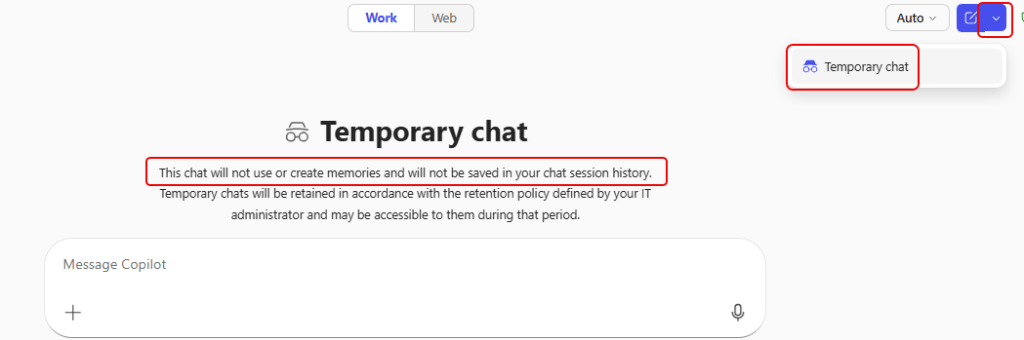
While this is interesting, it’s hard not to think… “and why would I want to use this?” Glad you asked…
You may not want to retain anything as it may just be a short-lived interaction. You may also want to avoid creating saved content for ideas that could be sensitive. Or… you may just not want to clutter up your chat history with conversations that you’ll never go back to or reference in the future.
Do keep in mind that the conversation *may* be retained in accordance with any retention policies in your organization, so this isn’t something you should consider as “anonymous”.

 One Minute Office Magic