One thing I really dislike doing is trying to turn a lengthy email thread into a meeting. You have to find all the people who were involved in the thread, try to find a time that works for *most* of the people, try to somehow come up with a summary and agent… But with Copilot, you can let it do most of the heavy lifting for you, turning email threads into cohesive meetings with little effort. Here’s how that works…
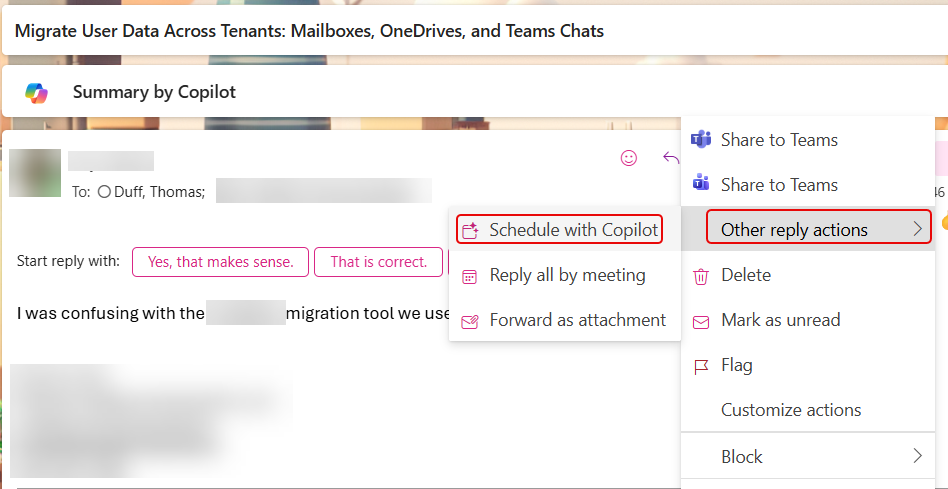
Here’s an email thread that had three or four replies, as well as a distribution list of people who were part of the thread. To create a meeting to discuss, I selected Other reply actions > Schedule with Copilot:
In about 15 to 30 seconds, I was presented with a calendar invite, complete with all the people who were part of the thread, a time that worked for many of the people, an attachment of the original email thread, and a Copilot-generated agenda:
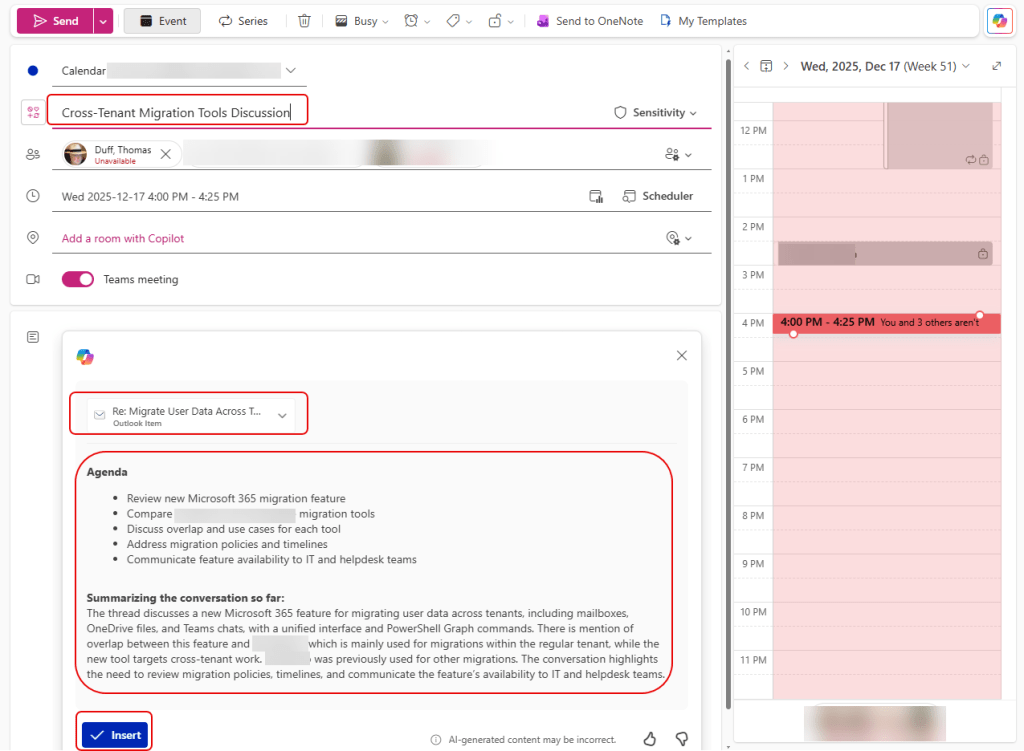
From here, I can change the scheduled time if desired, and I can review the agenda that was generated. If I’m OK with the agenda content, I can click Insert to add it to the invite, and then send it out.
This is *SO* much better than just throwing in the towel and skipping the agenda altogether. But as always, review the Copilot-generated content for accuracy.

 One Minute Office Magic