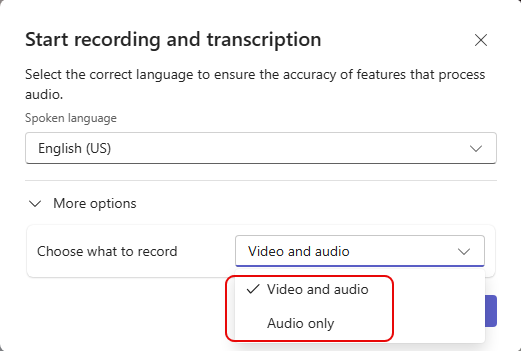
When you think of “recording a meeting” in Microsoft Teams, you normally envision recording both video and audio. But what if you’re sharing content during the meeting where you don’t want to have data shared via screen share to be part of the recording? Now you can choose to record Video and audio or just Audio only. Here’s how that looks…
When you start the recording, you get the Start recording and transcription panel. But there is now a new option to Choose what to record. It can be either Video and audio (the default) or Audio only:
This gives you flexibility in being able to record meetings for reference, but also decide if you want a visual representation of the data to be part of that recording.

 One Minute Office Magic