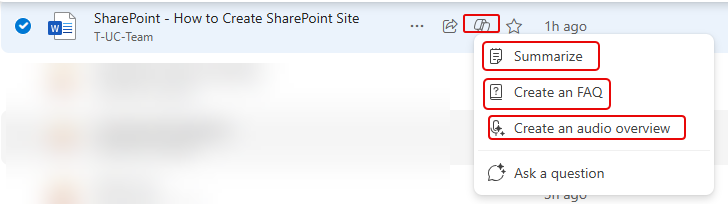
When you’re scrolling through your OneDrive and you see a file that looks interesting, you may not be thrilled to have to dig through the document manually to figure out what it’s talking about. But by using the Copilot icon on the document library line item, you can get summaries, FAQs, and audio overviews. Here’s how that works…
In this example, I’m looking at a document on how to create a SharePoint site. I’m interested in the contents, but I don’t want to open it up and read the whole thing. Instead, I click on the Copilot icon that shows up when I select that file. From there I can summarize the document, create an FAQ, or get an audio overview:
Here’s what the summary of that document looks like, and it pops up as a panel that allows to get an idea about the content, and also copy it if you need to share it somewhere. You could also ask questions about the document from this panel:
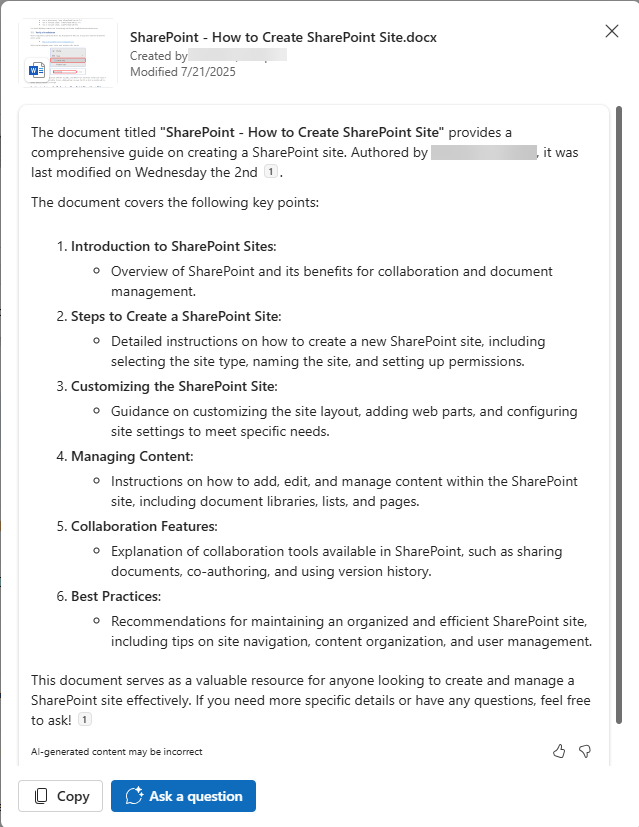
For the FAQ option, you get the same pop-up panel with the same options to copy or ask questions:

And finally, you can choose to get an audio overview of the file if you are just tire of reading:
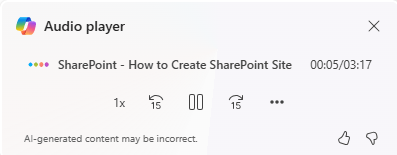
These are great options to allow you to more quickly understand the content in a file, and to start making decisions based on that content.

 One Minute Office Magic