
It’s not uncommon that you have a picture of something that includes text, and you really want to be able to use that text in an email or document. Optical Character Recognition (OCR) is the way to go, but do you have any software to do that? You do if you have Copilot! Here’s how that works…
Here’s a screen print of a news story that I stored in OneDrive. When I call up the image in OneDrive, I click on the Copilot icon in the upper-right corner. In the Copilot panel, I can select the Extract text option (or just type it into the message box):
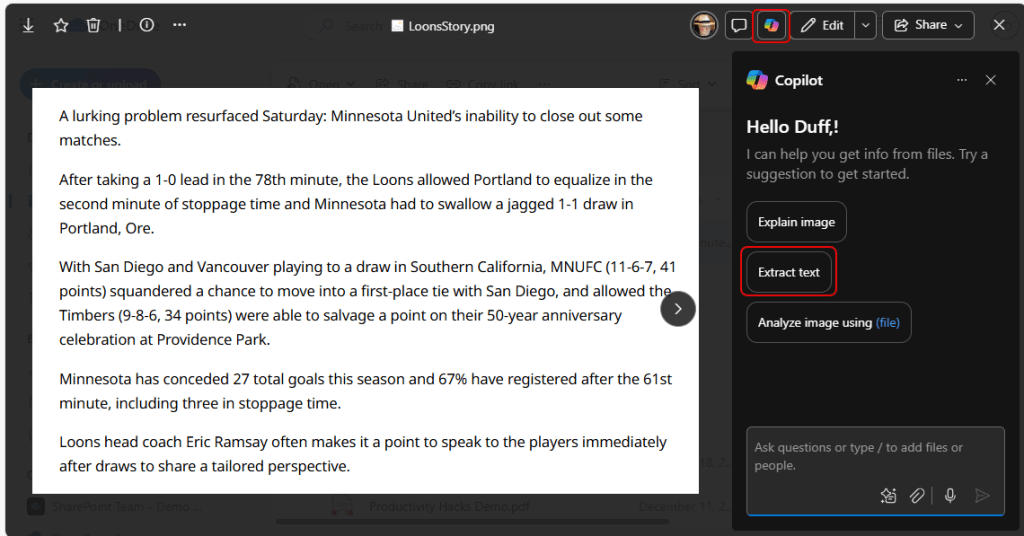
With Extract text in the message box, I click on the Send icon:

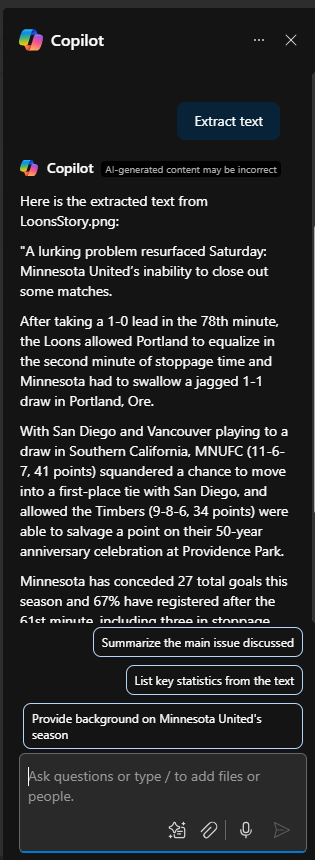
In just a matter of seconds, Copilot extracts all the text, and I can now copy and paste that anywhere that I need it!

 One Minute Office Magic