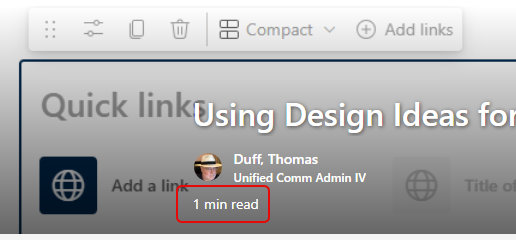
This new SharePoint News feature is one I really like… When you create a new SharePoint News post, the page will calculate the time it takes to read, presenting you with a read time number in the title bar of the article. Here’s what it looks like and how to turn it off if you want…
Here’s a published News post, and in the banner of the page it shows me the time to read:
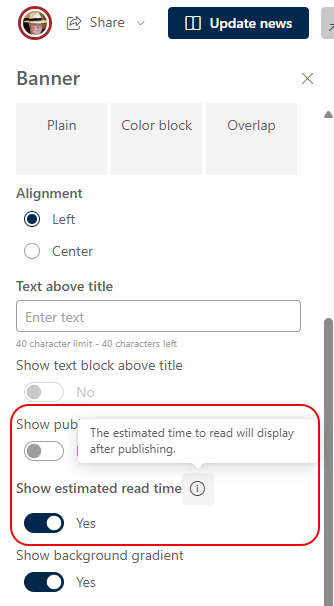
If for some reason you don’t want to see that, you can always edit the page and check the properties. Towards the bottom, you’ll see the option for turning the read time off for that particular page:
Personally, I love knowing about how much time it’s going to take to read the News story if I care to do so.

 One Minute Office Magic