Recurring events in Outlook are great, until you have to edit them. All too often, you wanted to make a change to events going forward from a particular date, but Outlook forced you to also change all past events also, destroying any history of what you might have done at a particular time. Now you have the option to use the This and all following events option when editing recurring events. That preserves your past event history. This is how that looks…
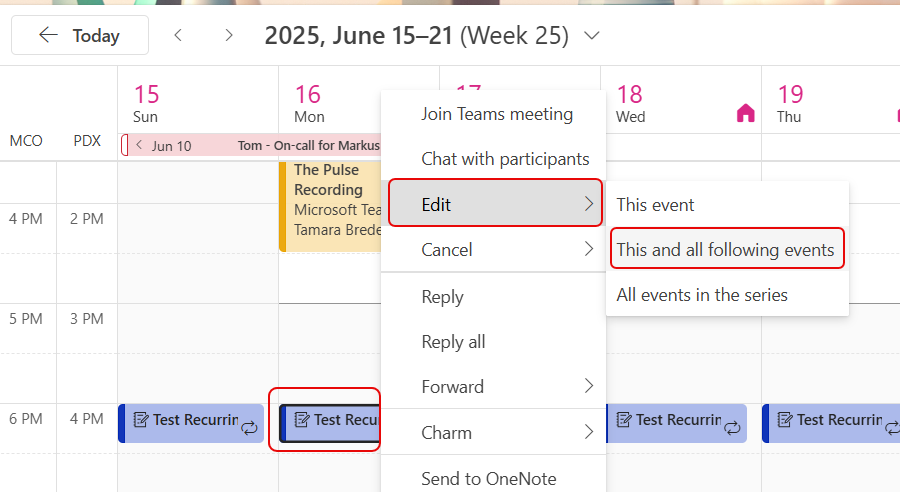
I have a recurring daily event at 4 pm each day. I want to change the time to 3 pm, but I don’t want to change all the past items to show in that time slot. I can right-click on the starting entry for the change and select Edit > This and all following events:

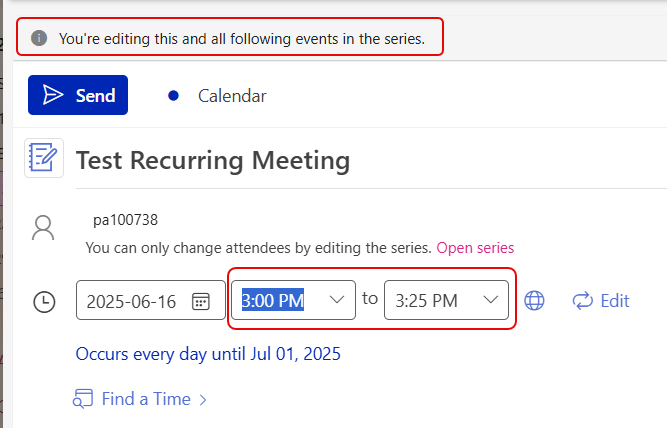
I get the normal edit screen to change event information, along with the message that You’re editing this and all following events in the series:
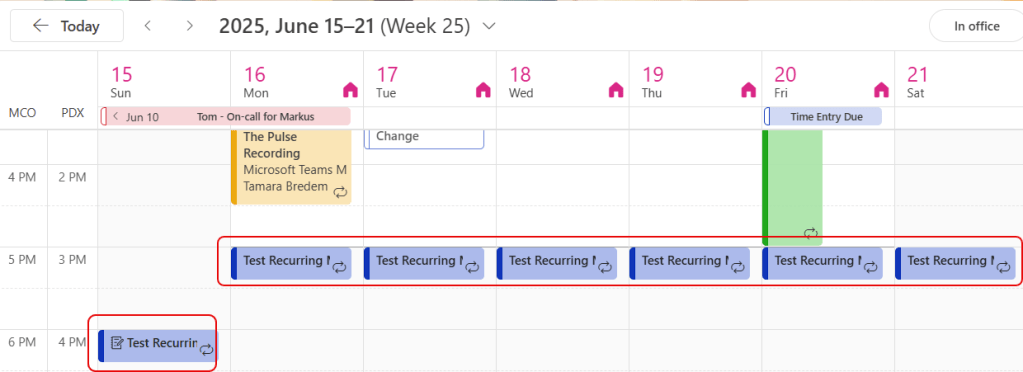
Once I hit Send, I can see that all my events have changed to the new date going forward, but prior events are still in the 4 pm time slot:

 One Minute Office Magic