Have you ever been tasked with generating a presentation about some topic, and you are experiencing a severe case of creative writer’s block? You can use Copilot in PowerPoint to help generate a solid starting point, complete with content, speaking notes, and images. Here’s how that works…
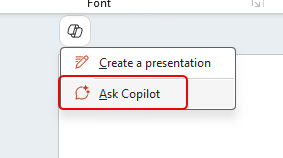
In a new PowerPoint presentation, click the Copilot icon and select Ask Copilot:
On the right-side panel, Copilot will prompt you for input. In this case, I asked it to Create a presentation about…

And my topic was about the importance of work-life balance. Once I had the prompt in place (and I could have provided a lot more material, such as number of slides or particular items of importance), I clicked the black arrow icon to start the process:

Copilot generated the topics and content:

And when it was done, it gave me the option to actually generate the slides:

Again, Copilot went to work generating the slides for the content:
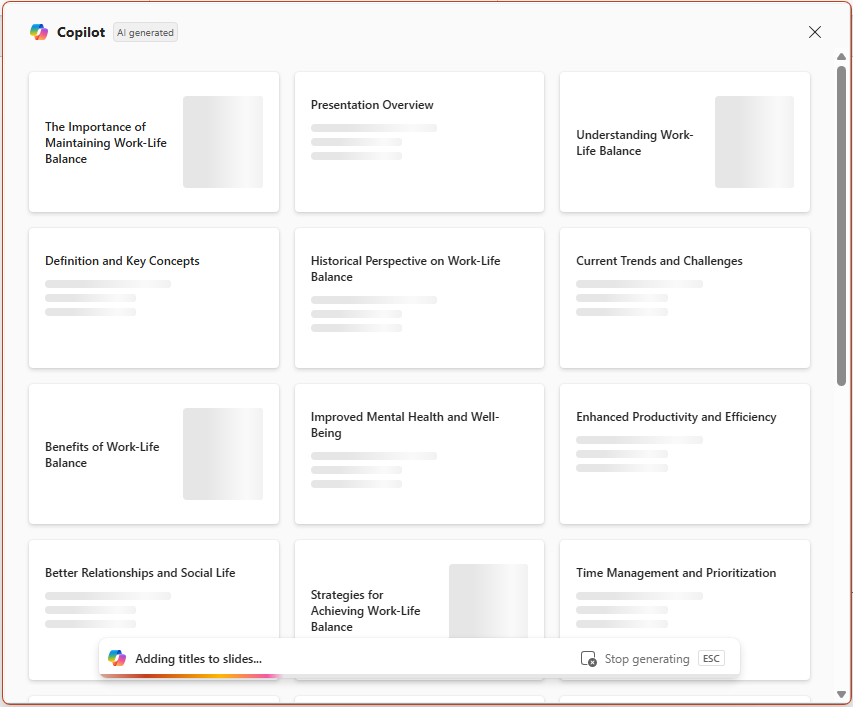
And it presented me with a great looking slide desk that matches the content that was outlined above. To turn it into an actual PowerPoint presentation file, I clicked on Keep It:

I now have a PowerPoint presentation, complete with speaker notes… and it looks far better than most designs I would come up with…
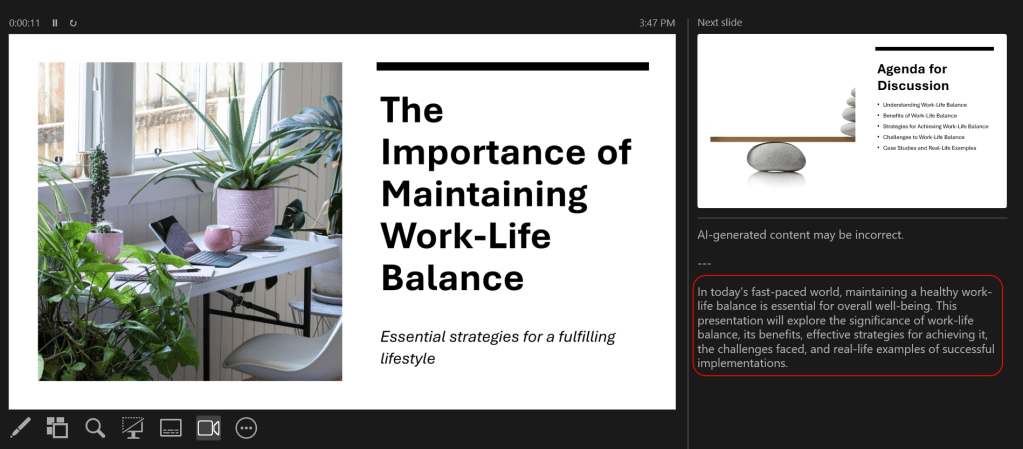
Now, the caveats… This isn’t meant to be something that you can save and use without any review or work. It’s meant to be a starting point for your presentation, so that you can add, remove, and modify the content to fit your particular situation. Also, as with all generated AI content, you need to check it for errors or incorrect material.
But even with those caveats, this can be an excellent way to save time and effort in getting a solid first draft in place.

 One Minute Office Magic