If you’re using Outlook on the web and you’re looking at the attendee list for a meeting, you’ll notice the name order is pretty much random (probably first come, first serve). That makes it really hard to wade through the list of people to look for someone. Now you can actually sort the list alphabetically. Here’s how that looks…
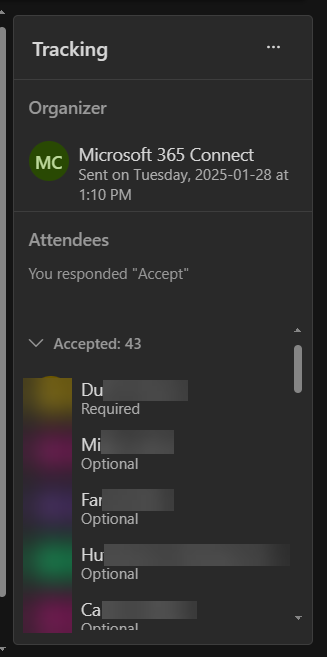
Here I’m looking at the Tracking panel for a meeting in Outlook on the web. As you can see, all the names are in a random order. If I had a couple of hundred people in the meeting, that would be hard to find things:
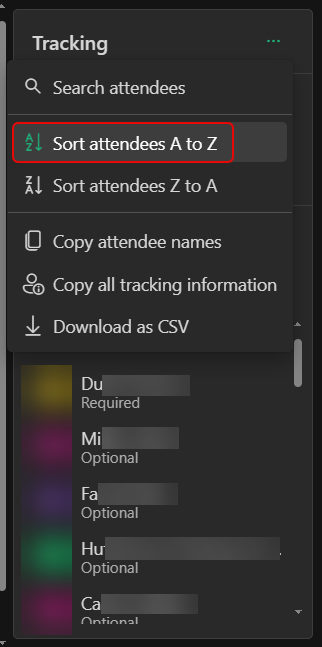
But now, you have the option to Sort attendees A to Z or Sort attendees Z to A. In this example, I selected the A to Z option:
And now, all my names are in alphabetical order. It applies that setting to Accepted, Declined, and Didn’t Respond:

Much easier to scroll through the list now… Please note: this feature is in Outlook on the web. It is not in the classic Outlook Windows client.

 One Minute Office Magic