If you’re using Outlook on the web and you’re looking at a long attendee list for a meeting, it may take you a while to find the person you’re looking for. Fortunately, there’s now a search function you can use in the attendee list to make it easy to find the person to see if they’ve accepted, declined, or ignored the invite. Here’s how that works…
Here’s a typical meeting with a number of attendees. In my example, I want to find one specific attendee in the list. To do so, I click on Search attendees:
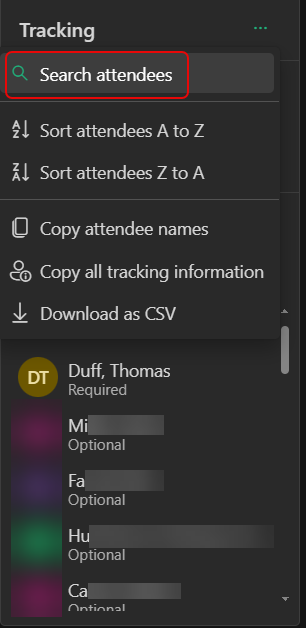
When I type in part of the name, I see the filtered list of names below. So much faster than trying to scroll through a long list:

Please note: this feature is in Outlook on the web. It is not in the classic Outlook Windows client.

 One Minute Office Magic