With the demise of Delve in Microsoft 365, Microsoft came up with a new process for updating your Microsoft 365 Profile information. It’s a much easier interface to use. Here’s what that looks like now…
To find the My Microsoft 365 profile link, click on the picture icon in the upper-right corner of your browser when you’re in a browser looking at a SharePoint site or office.com:

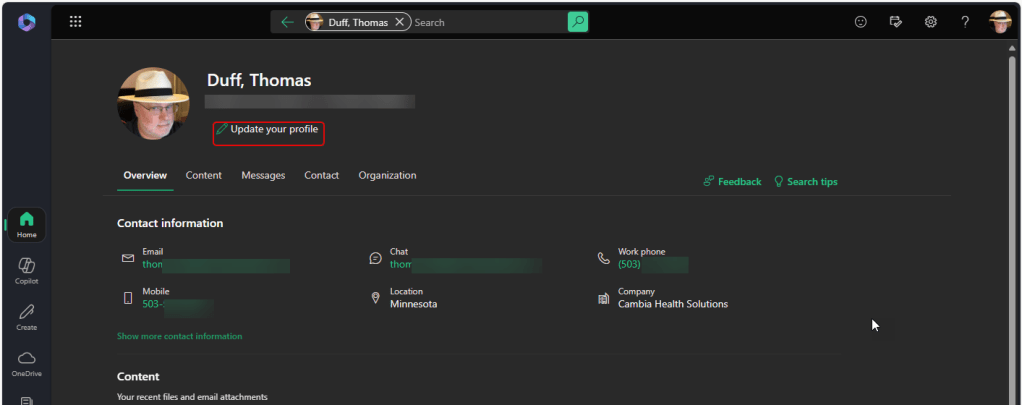
Clicking the link launches the new profile page with a lot of the information that Delve used to contain. To update your profile, click the Update your profile link:
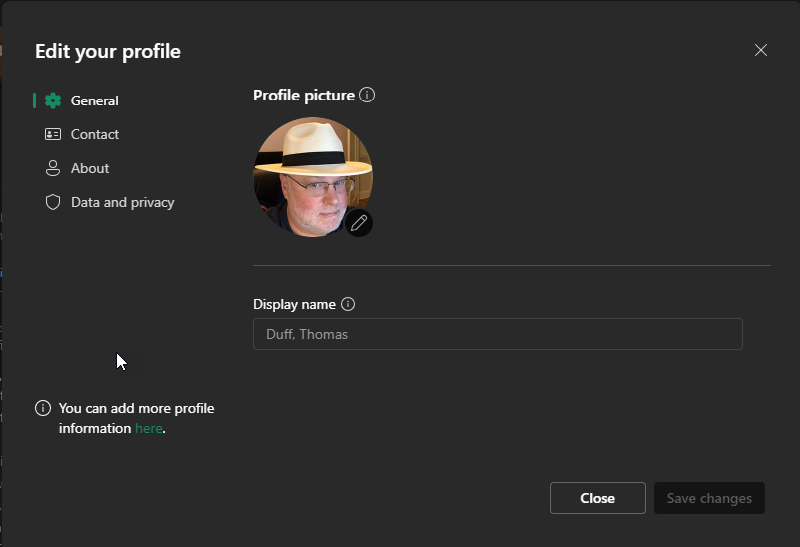
Using the General, Contact, and About categories to the left, you can update various parts of your profile. In the General category, you can update your profile picture. Please note that if a field has content that is greyed out, you cannot update that field as it is pulled from other sources in your environment, such as Active Directory:
The Contact category allows you to update things like email addresses, phone information, chat addresses, and work information (such as Job title, Company, etc.). Again, fields that have greyed-out values cannot be updated here:

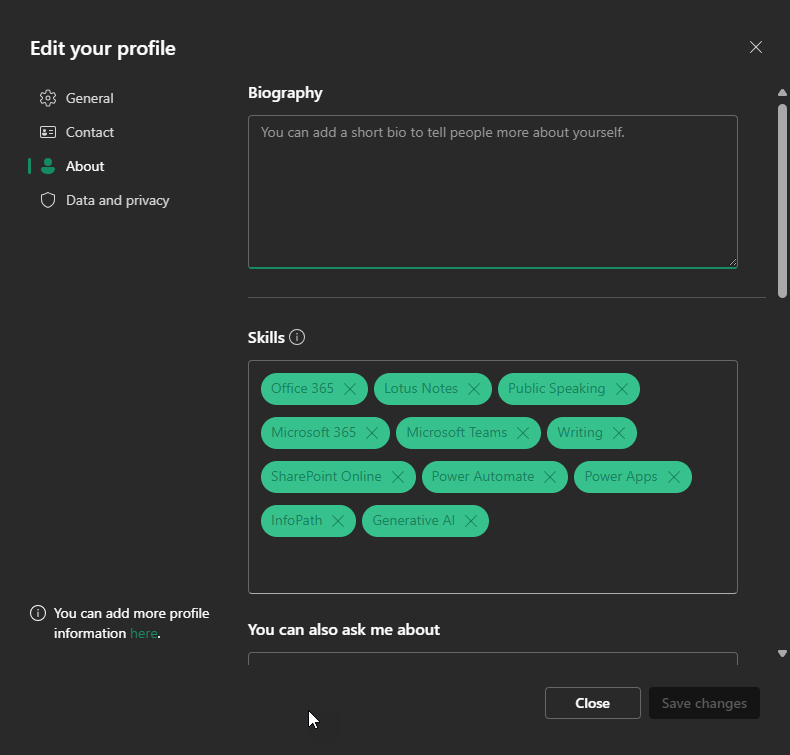
The About category allows you add a biography, various skills you have, things that people can ask you about, interests and hobbies you have, projects you’ve worked on, education/school information, and the month/day of your birthday:
Once you’ve made your changes, click Save changes to update your profile and make the changes visible to others.

 One Minute Office Magic