Some time ago, Microsoft added a feature to allow you to change the folder color in a SharePoint or OneDrive library. That color would show up in Windows File Explorer, but you couldn’t set the folder color from there. But… now you can! Here’s what that looks like and how it works…
In this example of my OneDrive being displayed in Windows File Explorer, I decided I wanted to change the folder color of my Downloads folder. I select the folder by right-clicking on it:
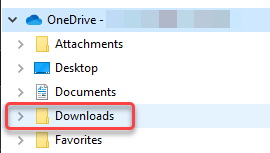
I select Folder color:

I then select the folder color and click Apply:
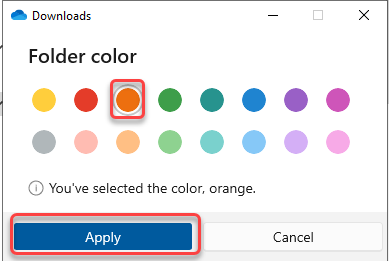
My Downloads folder now shows up as orange!

What’s nice is that any color changes you make in Windows File Explorer also shows up in SharePoint and OneDrive, and vice versa:
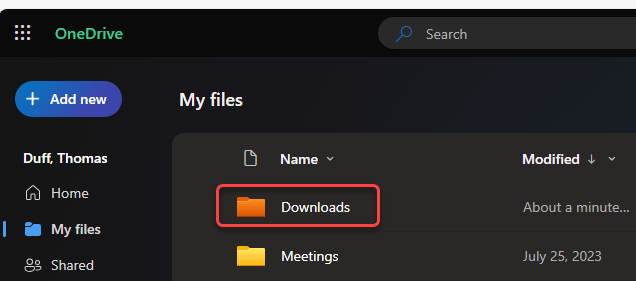
This is a great way to make important folders stand out for easier identification with this visual cue.

 One Minute Office Magic
Is Colored Folder feature only provided for Business account?
LikeLike