A new change is now available when it comes to versioning in SharePoint document libraries. It used to be that you could only control the number of versions you kept. Now you can also add a time-based element to your versioning. This is what it looks like and how it looks…
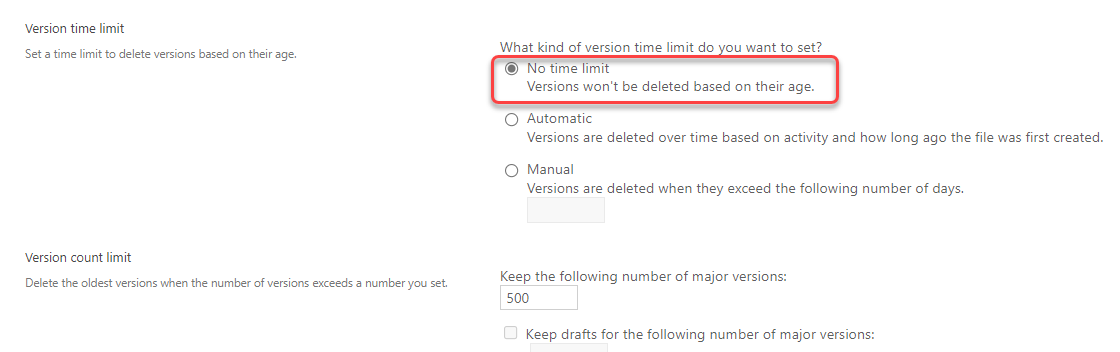
When you’re in your document library settings, click on the link for Versioning settings to see the new Version time limit option. By default, no time limit is applied to versioning. You are retaining versions based solely on the number of versions you have:
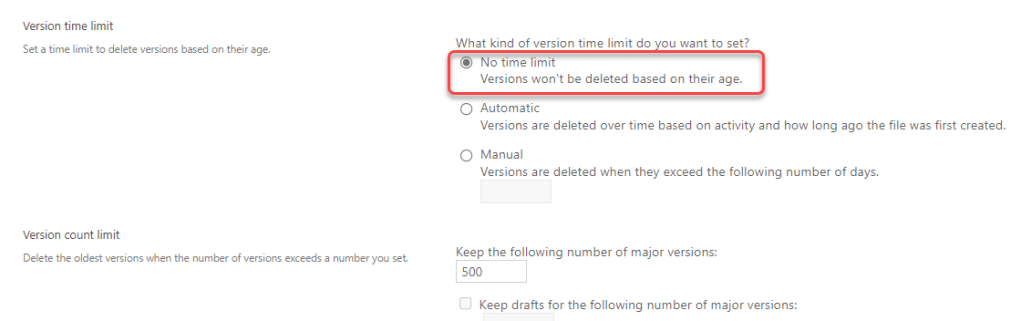
Now you have the option to choose Automatic or Manual. Automatic means that M365 looks at the age of the file and the amount of activity to determine what versions can be deleted. Manual means that any versions over X number of days will be deleted (regardless of the Version count limit):

This new feature is great for helping to manage the amount of space your content takes up in your SharePoint tenant. For additional information about this feature, check out Optimize SharePoint Storage: How Version History Limits Can Help.

 One Minute Office Magic