Sandra found a really cool feature that’s somewhat buried in the calendar that you have on Outlook on the web. It’s the ability to have Outlook send a reminder email to your attendees prior to your meeting based on whatever lead time you want! This is a really cool feature that takes meeting reminders up a notch. Here’s how that works…
If you are setting up your meeting in the Outlook on the web calendar, click on Event > 5 minutes before > Edit email reminder:

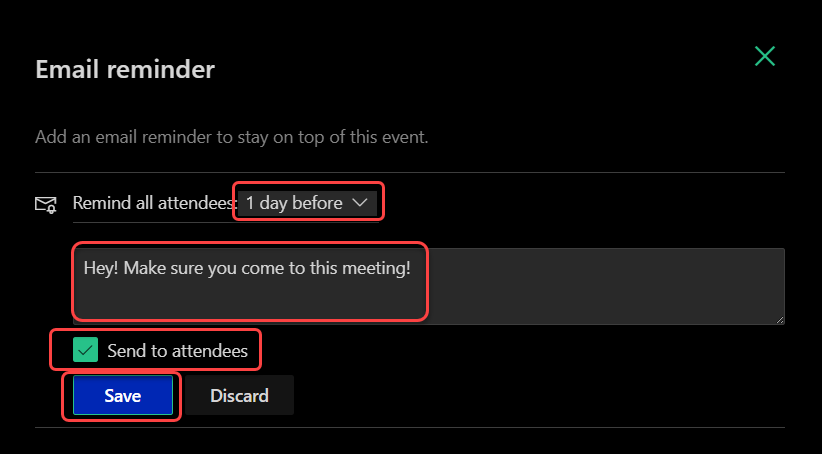
Now instead of having the attendee just get a pop-up reminder five minutes before the meeting, you can also have an email reminder sent to them before the meeting. In this case, I chose have a reminder email go out to all attendees 1 day before the meeting:
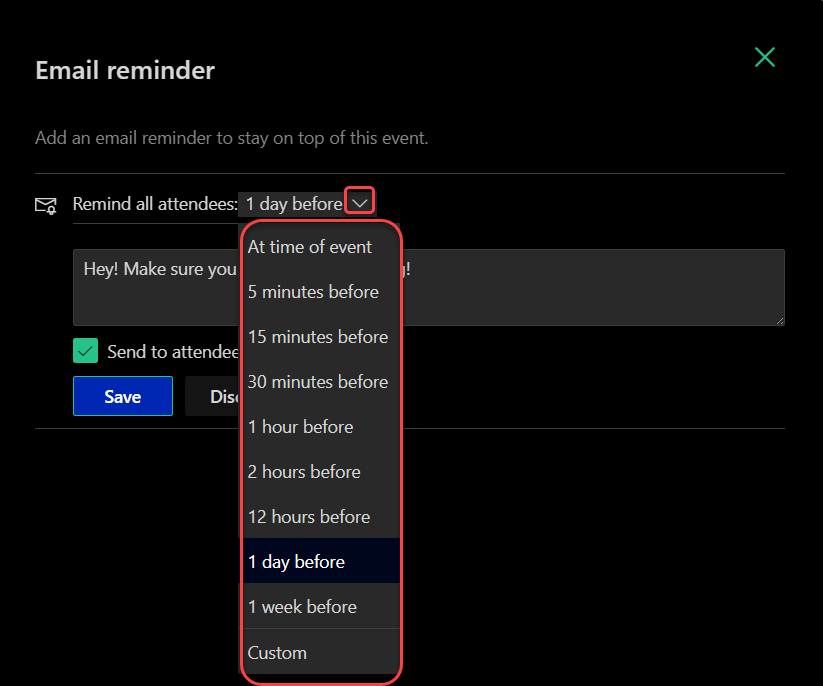
If I wanted, I could choose from a list of time frames for the reminder email, or I could use Custom to pick my own time frame:
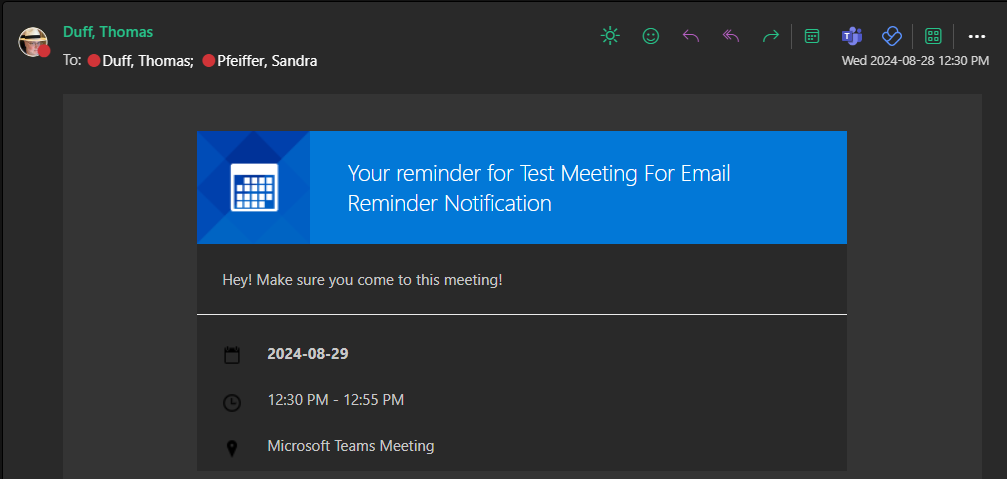
In my example, here’s the email I got one day before the meeting. The email went out exactly one day before the meeting, at the same time the meeting would be happening the next day:
This is a great feature to give people a heads-up on important meetings, and one that is not dependent on them getting the pop-up reminder a few minutes before the scheduled event.

 One Minute Office Magic